| Classification: | Reference: | Date: |
| EL19-044 | NTB19-092 | October 29, 2019 |
VOLUNTARY RECALL CAMPAIGN
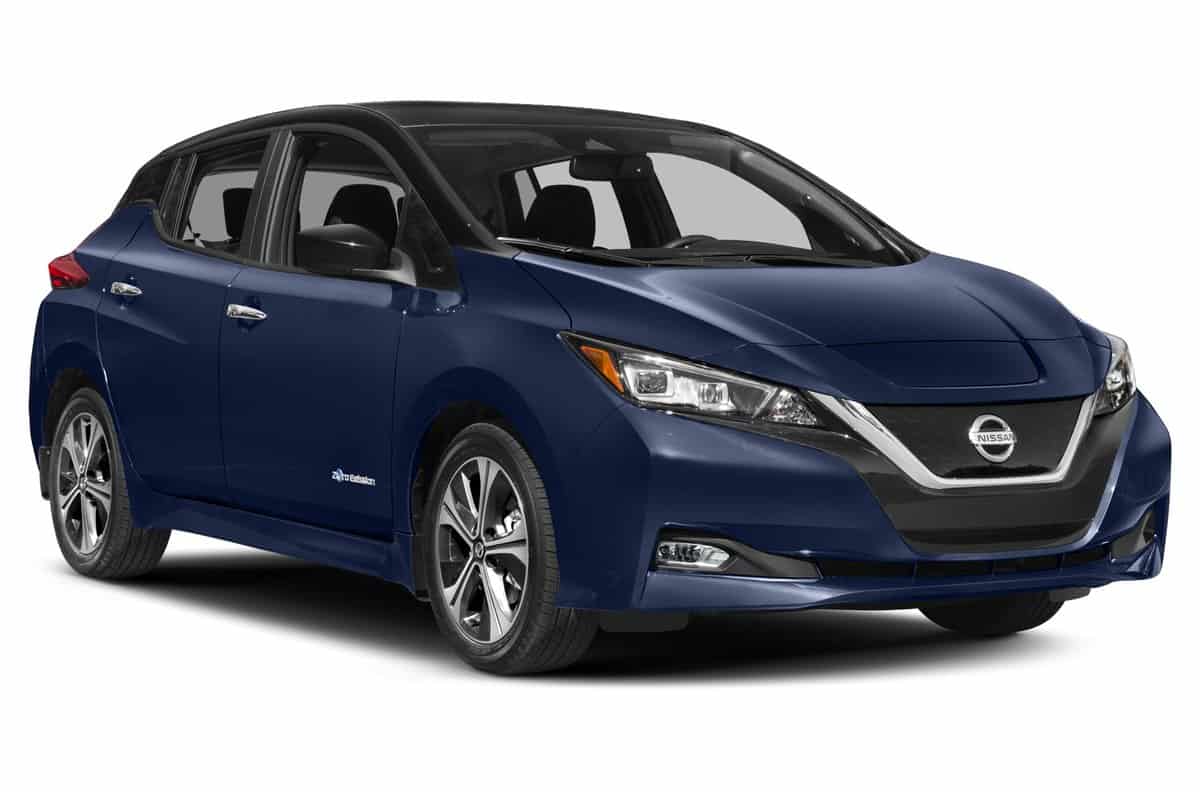
2018-2019 LEAF; AV CONTROL UNIT (INFOTAINMENT) SOFTWARE UPDATE
Check Service COMM or Dealer Business Systems (DBS) National Service History to confirm campaign eligibility.
INTRODUCTION
Nissan is conducting this voluntary recall campaign on certain specific model year 20182019 Leaf vehicles to update the AV Control Unit (Infotainment) software. This service will be performed at no charge to the customer for parts or labor.
IDENTIFICATION NUMBER
Nissan has assigned identification number R1911 to this campaign. This number must appear on all communication and documentation of any nature dealing with this campaign.
DEALER RESPONSIBILITY
It is the dealer’s responsibility to check Service COMM or Dealer Business Systems (DBS) National Service History for the campaign status on each vehicle falling within the range of this voluntary recall which for any reason enters the service department. This includes vehicles purchased from private parties or presented by transient (tourist) owners and vehicles in a dealer’s inventory. Federal law requires that new vehicles in dealer inventory which are the subject of a recall must be corrected prior to sale. Failure to do so can result in civil penalties by the National Highway Traffic Safety Administration. While federal law applies only to new vehicles, Nissan strongly encourages dealers to correct any used vehicles in their inventory before they are retailed.
REQUIRED SPECIAL TOOL
SD Card J-52812-13
- One special tool SD Card J-52812-13 has been shipped to each dealer (see Figure 1).
- Additional SD cards are available from TechMate: nissantechmate.com or 1-800-662-2001.
IMPORTANT
It is highly recommended that the provided campaign SD card, J-52812-13, be used.
HINT:
- If unavailable, the reprogramming software may be downloaded onto special tool SD card J-52727-2 using the Infotainment Software Download procedure.
- Special tool SD card J-52727-2 has also been shipped to each dealer.
- Click here to access the Infotainment Software Download procedure. After the software has been downloaded, continue to step 1 in this bulletin.
SERVICE PROCEDURE
Update AV Control Unit
NOTE:
- Refer to Figure 2 below for location of controls and SD card.
- Make sure the MAP SD card (not the software update card) is inserted in the SD card slot before starting the software update procedure.
- Turn the ignition to ON/ACC.
- Turn the hazard warning lights ON.
- Ensure the map is displayed on the screen by pressing the MAP button (Figure 2).
- Ensure the audio system is OFF (Audio OFF should be displayed in the top left corner of the MAP screen as shown in Figure 2).
- Access the System Diagnostic Menu.
- Press and hold down the MENU button and at the same time rotate the volume knob (Figure 3) more than three clicks in each direction (back and forth) until System Diagnostic Menu displays (Figure 4).
NOTE: The audio system must be OFF in order to enter System Diagnostic Menu.
- Select Confirmation/Adjustment (Figure 4).
- Use the scroll bar to scroll down, and then select Software Update (Figure 5).
- Select YES (Figure 6).
- The system will reboot automatically.
- The reboot is complete when the message in Figure 7 displays. DO NOT select “OK” or “CANCEL” at this time.
- Remove the MAP SD card.
- Refer to Figure 2 on page 3 for the SD card location.
- The SD card slot has a small cover. To access the MAP SD card, open the cover with a suitable tool.
- Push on the MAP SD card, and then it will pop out.
- Install Essential Tool J-52812-13 (provided, Figure 8) into the SD card slot.
- Select OK (Figure 9).
- Once OK has been selected, the message in Figure 10 should appear.
- Update status progress bar will appear (Figure 11).
- The software update will take approximately 5-7 minutes.
- After the update has completed, the screen in Figure 12 should display.
- Remove J-52812-13 from the SD card slot.
- Insert the MAP SD card.
- Select OK (Figure 13).
- After selecting OK, the screen in Figure 14 should display after 1-2 minutes.
- Turn the hazard warning lamps OFF.
- Turn the ignition OFF.
- Turn the ignition ON.
CLAIMS INFORMATION
Submit a “CM” line claim using the following claims coding:
| CAMPAIGN (“CM”) ID | DESCRIPTION | OP CODE | FRT |
| R1911 | Reprogram AV Control Unit | R19111 | 0.3 hrs |
| Reprogram not needed | R19113 | 0.2 hrs |
AMENDMENT HISTORY
| PUBLISHED DATE | REFERENCE | DESCRIPTION |
| October 29, 2019 | NTB19-092 | Original bulletin published |
Remedy Instructions and TSB
RCRIT-19V654-5887.pdf 799.667KB
Nissan Navigation Updates
navigation system map updates and related products for your Nissan vehicle

- Our navigation sd card compatible with 2016 - 2020 Altima, Rogue, Sentra, Xterra, Titan, Frontier
- Compatible with 2016-2020 NV200, NV1500, NV2500, and NV3500
- With preloaded USA and Canada maps,comes with fully updated GPS maps covering all 50 U.S. states, Canada’s 13 provinces/territories, and major roads, highways, landmarks, and points of interest (POIs) for reliable navigation
- Plug-and-Play Installation, no technical expertise required, only simply insert the SD card into your vehicle’s designated GPS slot, and the maps will load automatically. No software downloads or additional fees needed
- This GPS map card is a cost-effective replacement for lost or damaged original GPS SD cards, supporting turn-by-turn directions, lane guidance, and traffic updates,please mind that navigation sd card map version maintain 2020 year
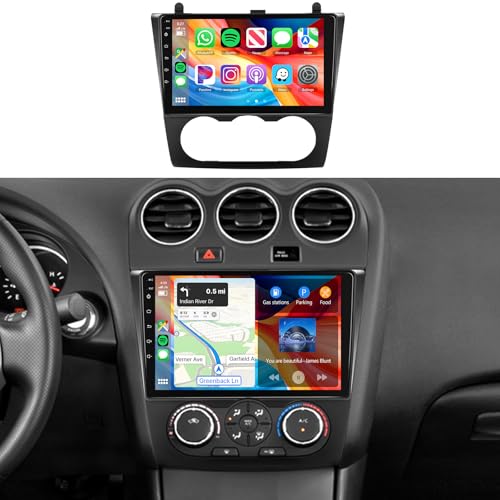
- 【Applicable Models】This car radio is compatible with Nissan Altima 2008 2009 2010 2011 2012 with Manual A/C and features a plug-and-play wiring harness.Reminder:This radio is incompatible with AUTO Air Conditioning. For inquiries, ask MAHVEC via Amazon anytime: Go to "Sold by MAHVEC" and select "Ask a question."
- 【Wireless Carplay & Android Auto】Wireless connectivity for CarPlay and Android Auto delivers superior voice - assist control. Effortlessly access your phone's apps, music, navigation, and calls while driving. No cables needed—just connect and drive
- 【2GB+64GB Upgrade Android Car Stereo】The in-dash Head unit for Nissan Altima comes with upgraded Android operating system, 2GB ram and 64GB rom ensures android car stereo runs smoothly. Equipped with DSP EQ, Build-in GPS and WiFi, 26 UIs, support wireless carplay android auto, SW, RDS FM Radio and mirror link
- 【WiFi Connection & Build-in GPS Chip】This Android radio connects to WiFi, allowing you to download various apps to enjoy music, use online GPS services such as Navitel or iGO, and update offline GPS data. The car GPS navigation system features a built-in positioning chip, supporting GPS, GLONASS, and SBAS.
- 【IPS Touch Screen 26UIs & Build-in DSP】1080P IPS touchscreen car audio system for Nissan Altima, 2.5D toughened glass resists knocks and scratches while delivering razor-sharp visuals. 26 user themes, split-screen multitasking. Lossless-grade DSP with eight EQ curves (Pop, Rock, Jazz, Classical, User etc)—slide your finger to shape the sound in real time
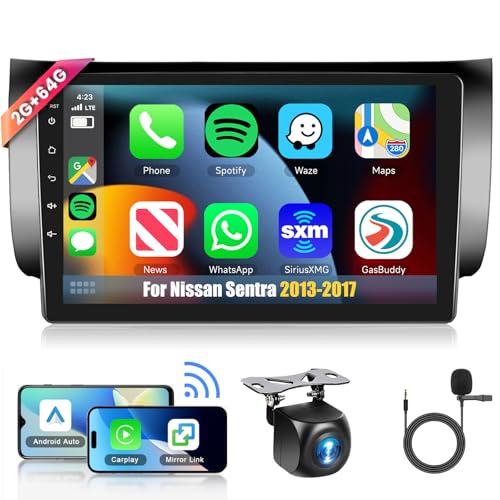
- Applicable Models: For Nissan Sentra 2013 2014 2015 2016 2017 radio.With 9-inch 2.5D 1024*600P ultra-high resolution HD touch screen,4Core, 2GB RAM and 64GB ROM configuration, touch responsive, fast operation sensing speed, colorful display with no chromatic aberration, enjoy the high-definition colorful picture. Users can customize the UI theme settings to present you a personalized and wonderful picture
- Android Car Stereo: The sentra radio Android 15 OS system, a quad-core processor, 2GB of RAM, and 64GB of ROM, guaranteeing seamless operation and quicker response times. Additionally, you can access a wide range of free apps and browse the internet by connecting to Wi-Fi
- Wireless CarPlay and Android Auto: For 2017 Nissan sentra radio with wireless CarPlay/Android Auto, there's no need to plug in phone each time you enter the car.Use maps navigation, make calls, text, or tune in to music/podcasts seamlessly. Also support wired Carplay/Android Auto
- More Functions You Concerned: The car radio for Sentra supports online/offline maps, Wi-Fi, video/subwoofer outputs, dual USB, steering wheel control, 1024*600p mirror link for iOS/Android device, 1080P 2.5D glass touchscreen, split screen, built-in Bluetooth with A2DP, FM/RDS radio, file manager, compatible with HD backup camera (included), dash cam, OBD and external mic
- Technical Support: METEESER specializes in car electronics, if you have any issues with nissan sentra stereo such as compatibility, installation, or usage, please feel free to tell us at any time
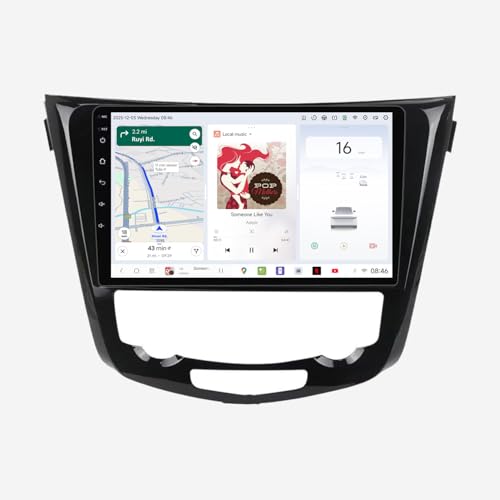
- [Plug and Play radio for NISSAN]This custom-designed touch screen radio is a perfect fit for NISSAN Rogue 2014 2015 2016 2017 2018 2019 2020,offering a true plug-and-play installation that retains all your factory features like steering wheel controls,backup camera,radio etc.
- [Powerful Performance Touch Screen for NISSAN]for NISSAN Rogue,the car stereo is powered by the advanced 8-core UIS8581 chipset and ample 4+64GB memory,this head unit delivers smooth, fast performance and robust support for running a wide range of Android applications, ensuring a responsive and versatile in-car experience
- [Seamless Connectivity via CarPlay,Android Auto or Bluetooth] Seamlessly integrate your phone to the touch screen head unit with Carplay,Android Auto or Bluetooth connection.Safely use navigation, media, and calls through the large display or with your voice, minimizing distractions
- [Custom Desktop]Freely switch between a 2 or 3-section dashboard layout, organize your essential widgets(Like Weather,Compass,Speed etc.) and apps(Music,Nav.etc.), easily change to wallpaper mode with setting your favorite photo (like family photos) as the wallpaper.Turn every drive into a warm, connected experience
- [Vibrant 10" HD Visuals, Immersive Audio]The car multimedia for NISSAN Rogue featuring a sharp 10" 1280×720 in-cell touchscreen and enhanced by the TM2313 audio processor, this system delivers a vivid view and rich, balanced sound—all in one seamless experience
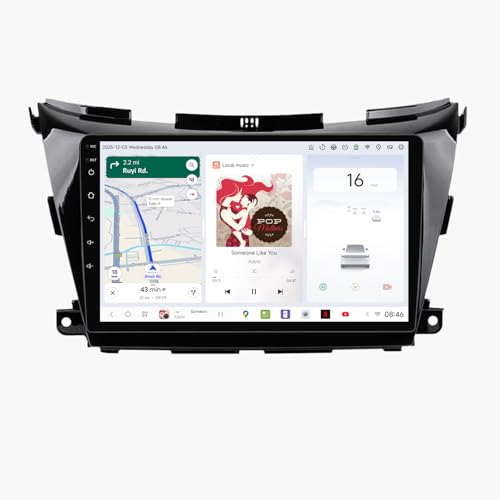
- [Plug and Play radio for NISSAN]This custom-designed touch screen radio is a perfect fit for NISSAN Murano Z52 2014 2015 2016 2017 2018 2019 2020,offering a true plug-and-play installation that retains all your factory features like steering wheel controls,backup camera,radio etc.
- [Powerful Performance Touch Screen for NISSAN]for NISSAN Murano Z52,the car stereo is powered by the advanced 8-core UIS8581 chipset and ample 4+64GB memory,this head unit delivers smooth, fast performance and robust support for running a wide range of Android applications, ensuring a responsive and versatile in-car experience
- [Seamless Connectivity via CarPlay,Android Auto or Bluetooth] Seamlessly integrate your phone to the touch screen head unit with Carplay,Android Auto or Bluetooth connection.Safely use navigation, media, and calls through the large display or with your voice, minimizing distractions
- [Custom Desktop]Freely switch between a 2 or 3-section dashboard layout, organize your essential widgets(Like Weather,Compass,Speed etc.) and apps(Music,Nav.etc.), easily change to wallpaper mode with setting your favorite photo (like family photos) as the wallpaper.Turn every drive into a warm, connected experience
- [Vibrant 10" HD Visuals, Immersive Audio]The car multimedia for NISSAN Murano Z52 featuring a sharp 10" 1280×720 in-cell touchscreen and enhanced by the TM2313 audio processor, this system delivers a vivid view and rich, balanced sound—all in one seamless experience
This product presentation was made with AAWP plugin.