
2020 NAVIGATION SYSTEM
OWNER’S MANUAL
Table of Contents
Introduction 1
Getting started 2
Map settings 3
Navigation 4
Other settings 5
General system information 6
Troubleshooting guide 7
Index 8
1 Introduction
How to use this manual . . . . . . . . . . . . . . . . . . . . . . . . . 1-2
For safe operation . . . . . . . . . . . . . . . . . . . . . . . . . . . . 1-2
Reference symbols . . . . . . . . . . . . . . . . . . . . . . . . . . . 1-2
Safety information. . . . . . . . . . . . . . . . . . . . . . . . . . . . . . . 1-2
Laser product . . . . . . . . . . . . . . . . . . . . . . . . . . . . . . . . . . . .1-3
2 Getting started
Control buttons and functions. . . . . . . . . . . . . . . . . . . 2-2
Control panel. . . . . . . . . . . . . . . . . . . . . . . . . . . . . . . . . 2-2
Steering wheel switch (Type A). . . . . . . . . . . . . . . . 2-3
Steering wheel switch (Type B). . . . . . . . . . . . . . . . 2-3
Steering wheel switch (Type C). . . . . . . . . . . . . . . . 2-3
Steering wheel switch (Type D) . . . . . . . . . . . . . . . 2-4
Steering wheel switch (Type E). . . . . . . . . . . . . . . . 2-4
Basic operation . . . . . . . . . . . . . . . . . . . . . . . . . . . . . . . . . 2-5
Functions disabled while driving . . . . . . . . . . . . . . 2-5
Touch screen operation . . . . . . . . . . . . . . . . . . . . . . 2-5
Menu screen operation. . . . . . . . . . . . . . . . . . . . . . . 2-6
How to input characters. . . . . . . . . . . . . . . . . . . . . . 2-7
3 Map settings
Screen information. . . . . . . . . . . . . . . . . . . . . . . . . . . . . . 3-2
Map types . . . . . . . . . . . . . . . . . . . . . . . . . . . . . . . . . . . . . . . 3-3
2-Dimensional (2D) view . . . . . . . . . . . . . . . . . . . . . . 3-3
2-Dimensional North Up (2DN) view. . . . . . . . . . . 3-4
3-Dimensional (3D) view . . . . . . . . . . . . . . . . . . . . . . 3-4
Moving amap. . . . . . . . . . . . . . . . . . . . . . . . . . . . . . . . . . . 3-4
Returning to the current vehicle
location . . . . . . . . . . . . . . . . . . . . . . . . . . . . . . . . . . . . . . 3-5
Map options menu screen. . . . . . . . . . . . . . . . . . . . . . . 3-5
Changing the map scale . . . . . . . . . . . . . . . . . . . . . . . . 3-6
Map scale . . . . . . . . . . . . . . . . . . . . . . . . . . . . . . . . . . . . 3-7
Looking at information on the map. . . . . . . . . . . . . . 3-7
Map symbols. . . . . . . . . . . . . . . . . . . . . . . . . . . . . . . . . 3-7
Map settings for the map screen . . . . . . . . . . . . . . . . 3-9
Lane information . . . . . . . . . . . . . . . . . . . . . . . . . . . . . . . .3-11
Map SD-card . . . . . . . . . . . . . . . . . . . . . . . . . . . . . . . . . . . 3-12
How to handle the SD-card. . . . . . . . . . . . . . . . . . 3-12
SD-card replacement. . . . . . . . . . . . . . . . . . . . . . . . 3-12
How to order map data updates . . . . . . . . . . . . 3-12
About the map data. . . . . . . . . . . . . . . . . . . . . . . . . 3-12
End-user terms . . . . . . . . . . . . . . . . . . . . . . . . . . . . . 3-14
About route guidance . . . . . . . . . . . . . . . . . . . . . . . . . . . 4-2
Voice guidance during route guidance. . . . . . . . 4-2
Navigation screen . . . . . . . . . . . . . . . . . . . . . . . . . . . . . . . 4-3
Basic operation . . . . . . . . . . . . . . . . . . . . . . . . . . . . . . 4-3
Available setting items . . . . . . . . . . . . . . . . . . . . . . . 4-3
Setting a destination . . . . . . . . . . . . . . . . . . . . . . . . . . . . 4-5
Available destination setting methods. . . . . . . . 4-5
Setting a destination from a street address. . . . . . 4-6
Setting a destination from points of interest . . . . . 4-9
Searching for nearby restaurants or
gas stations . . . . . . . . . . . . . . . . . . . . . . . . . . . . . . . . . 4-10
Searching for places near current
location . . . . . . . . . . . . . . . . . . . . . . . . . . . . . . . . . . . . . .4-11
Searching for points of interest in
another city . . . . . . . . . . . . . . . . . . . . . . . . . . . . . . . . . 4-12
Searching for places using Voice
Recognition (if so equipped) . . . . . . . . . . . . . . . . . 4-13
My points of interest/User-defined
points of interest (POIs) . . . . . . . . . . . . . . . . . . . . . . 4-13
Setting a destination from the address book . . . 4-17
Setting a new entry to the address
book . . . . . . . . . . . . . . . . . . . . . . . . . . . . . . . . . . . . . . . . 4-17
Setting an entry as a destination . . . . . . . . . . . . 4-18
Setting a destination from the address
book using Voice Recognition
(if so equipped) . . . . . . . . . . . . . . . . . . . . . . . . . . . . . . 4-18
Setting an intersection as a destination . . . . . . . . 4-18
Setting a city center as a destination . . . . . . . . . . . 4-19
Traffic feature . . . . . . . . . . . . . . . . . . . . . . . . . . . . . . . . . .4-20
Displaying traffic events along route . . . . . . . . .4-20
Traffic flow feature. . . . . . . . . . . . . . . . . . . . . . . . . . . 4-21
Traffic settings. . . . . . . . . . . . . . . . . . . . . . . . . . . . . . . 4-21
Fuel prices. . . . . . . . . . . . . . . . . . . . . . . . . . . . . . . . . . . . . . 4-22
Weather . . . . . . . . . . . . . . . . . . . . . . . . . . . . . . . . . . . . . . . . 4-22
Displaying weather information on the
screen. . . . . . . . . . . . . . . . . . . . . . . . . . . . . . . . . . . . . . . 4-23
Stocks. . . . . . . . . . . . . . . . . . . . . . . . . . . . . . . . . . . . . . . . . . 4-24
Sports. . . . . . . . . . . . . . . . . . . . . . . . . . . . . . . . . . . . . . . . . . 4-25
Movie Listings . . . . . . . . . . . . . . . . . . . . . . . . . . . . . . . . . . 4-25
5 Other settings
System settings . . . . . . . . . . . . . . . . . . . . . . . . . . . . . . . . . 5-2
Touchscreen Click . . . . . . . . . . . . . . . . . . . . . . . . . . . . 5-3
System Beeps . . . . . . . . . . . . . . . . . . . . . . . . . . . . . . . . 5-3
Return to Factory Settings/Clear
Memory . . . . . . . . . . . . . . . . . . . . . . . . . . . . . . . . . . . . . . 5-3
Software licenses . . . . . . . . . . . . . . . . . . . . . . . . . . . . 5-3
Minimize Voice Feedback . . . . . . . . . . . . . . . . . . . . . 5-3
System Software Version . . . . . . . . . . . . . . . . . . . . . 5-3
Display settings . . . . . . . . . . . . . . . . . . . . . . . . . . . . . . . . . 5-4
Display . . . . . . . . . . . . . . . . . . . . . . . . . . . . . . . . . . . . . . . 5-4
Brightness . . . . . . . . . . . . . . . . . . . . . . . . . . . . . . . . . . . 5-4
Rear View Camera Settings. . . . . . . . . . . . . . . . . . . 5-4
Temperature Unit Settings. . . . . . . . . . . . . . . . . . . . 5-4
Clock settings . . . . . . . . . . . . . . . . . . . . . . . . . . . . . . . . . . . 5-5
Set clock manually . . . . . . . . . . . . . . . . . . . . . . . . . . . 5-5
Language settings . . . . . . . . . . . . . . . . . . . . . . . . . . . . . . 5-6
NissanConnectSM Services Settings
(if so equipped) . . . . . . . . . . . . . . . . . . . . . . . . . . . . . . . . . . 5-6
6 General system information
Safety information. . . . . . . . . . . . . . . . . . . . . . . . . . . . . . . 6-2
Features of this navigation system . . . . . . . . . . . . . . 6-3
Route guidance . . . . . . . . . . . . . . . . . . . . . . . . . . . . . . 6-3
Points of Interest directory . . . . . . . . . . . . . . . . . . . 6-3
Address book . . . . . . . . . . . . . . . . . . . . . . . . . . . . . . . . 6-3
SiriusXM Traffic information. . . . . . . . . . . . . . . . . . . 6-3
Voice guidance . . . . . . . . . . . . . . . . . . . . . . . . . . . . . . . 6-4
NissanConnectSM Services (if so equipped) . . . . . . 6-4
Subscription to NissanConnectSM
Services . . . . . . . . . . . . . . . . . . . . . . . . . . . . . . . . . . . . . . 6-4
Legal Disclaimer. . . . . . . . . . . . . . . . . . . . . . . . . . . . . . 6-4
NissanConnectSM Services Features . . . . . . . . . . 6-5
NissanConnectSM Services menus. . . . . . . . . . . . 6-9
Emergency support information
(if so equipped) . . . . . . . . . . . . . . . . . . . . . . . . . . . . . . .6-11
Current vehicle location . . . . . . . . . . . . . . . . . . . . . . . . 6-13
Display of current vehicle location . . . . . . . . . . . 6-13
What is GPS (Global Positioning
System)? . . . . . . . . . . . . . . . . . . . . . . . . . . . . . . . . . . . . 6-13
Detailed map coverage (MCA) for the
navigation system. . . . . . . . . . . . . . . . . . . . . . . . . . . 6-13
When a gray road is displayed on the
map. . . . . . . . . . . . . . . . . . . . . . . . . . . . . . . . . . . . . . . . . 6-13
Route calculation. . . . . . . . . . . . . . . . . . . . . . . . . . . . . . . 6-14
Route guidance . . . . . . . . . . . . . . . . . . . . . . . . . . . . . . . . 6-15
Basics of voice guidance . . . . . . . . . . . . . . . . . . . . 6-15
Directions provided and the distances
to guide points . . . . . . . . . . . . . . . . . . . . . . . . . . . . . . 6-15
Repeating voice guidance . . . . . . . . . . . . . . . . . . . 6-15
Notes on voice guidance . . . . . . . . . . . . . . . . . . . . 6-16
How to handle the display . . . . . . . . . . . . . . . . . . . . . . 6-17
Characteristics of a liquid crystal
display . . . . . . . . . . . . . . . . . . . . . . . . . . . . . . . . . . . . . . 6-17
Maintenance of the display . . . . . . . . . . . . . . . . . . 6-17
7 Troubleshooting guide
Basic operations . . . . . . . . . . . . . . . . . . . . . . . . . . . . . . . . 7-2
Vehicle icon . . . . . . . . . . . . . . . . . . . . . . . . . . . . . . . . . . . . . 7-3
Map SD-card route calculation and visual
guidance . . . . . . . . . . . . . . . . . . . . . . . . . . . . . . . . . . . . . . . . 7-5
Voice guidance . . . . . . . . . . . . . . . . . . . . . . . . . . . . . . . . . . 7-6
8 Index
2Dmap. . . . . . . . . . . . . . . . . . . . . .3-3
3Dmap. . . . . . . . . . . . . . . . . . . . . .3-4
A
Address book. . . . . . . . . . . . . . . . . .6-3
B
Basic operations . . . . . . . . . . . . .2-5,7-2
Basics of voice guidance . . . . . . . . . .6-15
C
Characteristics of a liquid crystal
display. . . . . . . . . . . . . . . . . . . . . .6-17
Character (letter and number) input
screen . . . . . . . . . . . . . . . . . . . . . .2-7
Clocksettings . . . . . . . . . . . . . . . . .5-5
Connected Search . . . . . . . . . . . . . .6-10
Controlbuttonsandfunctions . . . . . . .2-2
Currentvehiclelocation. . . . . . . . . . .6-13
D
Destination-To-Car . . . . . . . . . . . . . .6-10
Directions provided and the distances to
guidepoints . . . . . . . . . . . . . . . . . .6-15
Displayofcurrentvehiclelocation. . . . .6-13
Displaysettings . . . . . . . . . . . . . . . .5-4
E
Emergency support information. . . . . .6-11
F
Featuresof thisnavigationsystem . . . .6-3
For safe operation . . . . . . . . . . . . . . .1-2
Functions disabled while driving. . . .2-5,2-5
G
Google Send-to-Car . . . . . . . . . . . . .6-10
H
How to handle the display . . . . . . . . .6-17
How to use this manual. . . . . . . . . . . .1-2
I
Incorrect display of vehicle position . . . .7-3
J
Journey Planner. . . . . . . . . . . . . . . .6-10
L
Language settings. . . . . . . . . . . . . . .5-6
Laser product . . . . . . . . . . . . . . . . . .1-3
M
Maintenance of the display . . . . . . . . .6-17
Mapscreeninformation . . . . . . . . . . .3-2
Maptypes . . . . . . . . . . . . . . . . . . . .3-3
Message History. . . . . . . . . . . . . . . .6-11
Movingamap . . . . . . . . . . . . . . . . .3-4
MyPlaces. . . . . . . . . . . . . . . . . . . .4-13
N
NissanConnectSM
Services . . . . . . . . . . . . .5-6,6-4,6-11, 6-9
Notes on voice guidance . . . . . . . . . .6-16
P
PointsOf Interest (POI)directory . . . . . .6-3
R
Reference symbols. . . . . . . . . . . . . . .1-2
Repeating voice guidance . . . . . . . . .6-15
Returning to the current vehicle
location . . . . . . . . . . . . . . . . . . . . .3-5
Routecalculation. . . . . . . . . . . . . . .6-14
Route calculation and visual guidance . .7-5
Route guidance . . . . . . . . . . . . . . . .6-3
S
Safetyinformation . . . . . . . . . . . . . . .1-2
SiriusXM Traffic information . . . . . . . . .6-3
Steering wheel switch. . . . . . . . . . . . .2-3
T
Trafficfeatures . . . . . . . . . . . . . . . .4-20
U
User-defined points of interest (POIs). . .4-13
V
Vehicleicon . . . . . . . . . . . . . . . . . . .7-3
Voice guidance . . . . . . . . . . . . . .7-6,6-4
Voice Menu. . . . . . . . . . . . . . . . . . .6-10
Voice
recognition . . . .4-9,4-18,4-21,4-24,4-5,4-13
W
What is GPS
(Global Positioning System)? . . . . . . . .6-13
When a gray road is displayed on the
map . . . . . . . . . . . . . . . . . . . . . . .6-13
X
XMNavWeather™ . . . . . . . . . . .4-23,4-22
SEOCONTENT-START
2020 NAVIGATION
SYSTEM
OWNER’S MANUAL
For your safety, read carefully and keep in this vehicle.
NISSAN NAVIGATION SYSTEM
HELP-DESK CONTACT INFORMATION
For assistance or inquiries about the
NISSAN Navigation System, or to order
updated map data, contact the NISSAN
NAVIGATION SYSTEM HELPDESK at:
· ADDRESS: P.O. Box 1588,
Orem, UT 84059-992
· E-MAIL: Nissan[email protected]
· WEB SITE: www.navigation.com or
www.nissan.ca
. PHONE: 1-888-661-9995
. HOURS: 6:00 AM to 5:00 PM
(Pacific Time)
NISSAN CONSUMER AFFAIRS
DEPARTMENT
For assistance or inquiries about the
NISSAN warranty, service or general
questions, contact the NISSAN Consumer
Affairs Department at:
For U.S. customers
Nissan North America, Inc.
Consumer Affairs Department
P.O. Box 685003
Franklin, TN 37068-5003
1-800-NISSAN-1
(1-800-647-7261)
For Canadian customers
Nissan Canada Inc.
5290 Orbitor Drive
Mississauga, Ontario L4W 4Z5
1-800-387-0122
Thank you for purchasing a NISSAN
vehicle. This user’s manual is for the
navigation system only. This manual
contains operating instructions for the
NISSAN Navigation System offered in
your NISSAN vehicle.
Please read this manual carefully to
ensure safe operation of the navigation
system.
· Because of possible specification
changes and optional equipment,
sections of this manual may not
apply to your vehicle.
· All information, specifications and
illustrations in this manual are those
in effect at the time of printing.
NISSAN reserves the right to change
specifications or design at any time
without notice.
· Do not remove this manual from the
vehicle when selling this vehicle. The
next user of this navigation system
may need the manual.
FOREWORD
Table of
Contents
Introduction
Getting started
Map settings
Navigation
Other settings
General system information
Troubleshooting guide
This manual uses special words, symbols
and icons that are organized by function.
Please refer to the following items to understand
how to use this manual properly.
FOR SAFE OPERATION
mWARNING
Indicates the presence of a hazard
that could cause death or serious
personal injury. To avoid or reduce
the risk, the procedures must be followed
precisely.
CAUTION
Indicates the presence of a hazard
that could cause minor or moderate
personal injury or damage to your
vehicle. To avoid or reduce the risk,
the procedures must be followed
carefully.
NOTE:
Indicates items that help you understand
and maximize the performance of
your vehicle. If ignored, they may lead to
a malfunction or poor performance.
REFERENCE SYMBOLS
INFO:
Indicates information that is necessary for
efficient use of your vehicle or accessories.
Reference page:
Indicates the title and page that
you should refer to.
NAV:
This is an example of how a button on the
control panel will be shown.
“Route”:
This is an example of a key/item displayed
on the screen.
This system is primarily designed to help
you reach your destination, and it also performs
other functions as outlined in this
manual. However, you, the driver, must use
the system safely and properly. Information
concerning road conditions, traffic
signs and the availability of services may
not always be up-to-date. The system is
not a substitute for safe, proper and legal
driving.
Before using the navigation system, please
read the following safety information. Always
use the system as outlined in this
manual.
mWARNING
∙ To operate the navigation system,
first park the vehicle in a safe location
and set the parking brake. Operating
the system while driving
can distract the driver and may result
in a serious accident.
∙ Do not rely on route guidance
alone. Always be sure that all driving
maneuvers are legal and safe in
order to avoid accidents.
HOWTO USE THIS MANUAL SAFETY INFORMATION
1-2 Introduction
∙ Do not disassemble or modify this
system. If you do, it may result in
accidents, fire or electrical shock.
∙ If you notice any foreign objects in
the system hardware, spill liquid on
the system or notice smoke or a
smell coming from it, stop using
the system immediately and contact
a NISSAN dealer. Ignoring such
conditions may lead to accidents,
fire or electrical shock.
CAUTION
∙ Do not use this system if you notice
any malfunctions such as a frozen
screen or the lack of sound. Continued
use of the system may result in
accidents, fire or electrical shock.
∙ Some states/provinces may have
laws limiting the use of video
screens while driving. Use this system
only where it is legal to do so.
∙ Extreme temperature conditions
[below -4 °F (-20 °C) and above 158
°F (70 °C)] could affect the performance
of the system.
NOTE:
Do not keep the navigation system running
with the engine stopped. Doing so
may discharge the vehicle battery.When
you use the navigation system, always
keep the engine running.
mWARNING
∙ Do not disassemble or modify this
system. There are no user serviceable
parts in this navigation
system.
∙ If maintenance, adjustments and
operations other than those specified
in this manual are attempted,
injury due to laser radiation and exposure
could occur.
LASER PRODUCT
Introduction 1-3
SiriusXM services require a subscription after a trial period and are sold separately or as a
package. Our satellite service is available only in the 48 contiguous USA and DC. For more information
visit www.siriusxm.com.
“Made for iPod” and “Made for iPhone” mean that an electronic accessory has been designed
to connect specifically to iPod or iPhone, respectively, and has been certified by the developer
to meet Apple performance standards. Apple is not responsible for the operation of this device
or its compliance with safety and regulatory standards. Please note that the use of this
accessory with iPod or iPhonemy affect wireless performance.
The Bluetooth® word mark and logos are registered trademarks owned by Bluetooth SIG, Inc.
and any use of such marks by DENSO CORPORATION is under license. Other trademarks and
trade names are those of their respective owners.
Required SiriusXM Satellite Radio and SiriusXM Traffic monthly subscriptions are sold
separately. SiriusXM Traffic are only available in select markets. For more information, see
www.siriusxm.com/siriusxmtraffic
Required SiriusXM Satellite Radio and SiriusXM Travel Link monthly subscriptions are sold
separately. SiriusXM Travel Link is only available in select markets. For more information, see
www.siriusxm.com/travellink
1-4 Introduction
App Store
Apple and the Apple logo are trademarks of Apple Inc., registered in the U.S. and other countries. App Store is a service mark of Apple Inc.
Google Play™
Google Play is a trademark of Google Inc.
Google
CONTROL PANEL
1 button:
Press to access the system settings.
2 button:
Press to change the display brightness
between day and night modes. While
the mode is being displayed, the
brightness can be adjusted using the
TUNE-SCROLL knob.
Press and hold for more than two seconds
to switch the display to a larger
display of the digital clock.
“DISPLAY SETTINGS”
(page 5-4)
3 BACK button:
Press to return to the previous screen.
4 TUNE-SCROLL knob / PUSH/AUDIO
button:
Turn to scroll through the items in a list.
Press to select a menu item. When the
screen is not displaying a list or menu,
the knob is used to control the audio
system.
Press the PUSH/AUDIO button to select
a highlighted item on the screen.
5 Touch screen display
6 MAP button:
Press to display the current location
map screen.
7 VOL (volume) control knob/POWER
button:
Rotate clockwise to increase the volume
or counterclockwise to lower the
volume.
Press to turn the audio system on or
off.
8 NAV button:
Press to access the functions of the
Navigation system.
LNV2514
CONTROL BUTTONS AND FUNCTIONS
2-2 Getting started
STEERING WHEEL SWITCH (Type A)
Volume control one-button operation
1 Volume control button
Increases or decreases the volume of
the voice guidance given by the Navigation
System if pressed while the
voice guidance is speaking. If the volume
button is pressed at any other
time, only the volume of the active
screen (phone, SMS playback, Voice
Recognition system [if so equipped],
audio system) will be adjusted.
For more information about the audio
system, Bluetooth® Hands-Free Phone
System and Voice Recognition system (if
so equipped), see the vehicle’s Owner’s
Manual.
STEERING WHEEL SWITCH (Type B)
Volume control one-button operation
1 Volume control button
Increases or decreases the volume of
the voice guidance given by the Navigation
System if pressed while the
voice guidance is speaking. If the volume
button is pressed at any other
time, only the volume of the active
screen (phone, SMS playback, Voice
Recognition system [if so equipped],
audio system) will be adjusted.
For more information about the audio
system, Bluetooth® Hands-Free Phone
System and Voice Recognition system (if
so equipped), see the vehicle’s Owner’s
Manual.
STEERING WHEEL SWITCH (Type C)
Volume control one-button operation
1 Volume control button
Increases or decreases the volume of
the voice guidance given by the Navigation
System if pressed while the
voice guidance is speaking. If the volume
button is pressed at any other
time, only the volume of the active
screen (phone, SMS playback, Voice
Recognition system [if so equipped],
audio system) will be adjusted.
For more information about the audio
system, Bluetooth® Hands-Free Phone
System and Voice Recognition system (if
so equipped), see the vehicle’s Owner’s
Manual.
LNV2510 LNV2512 LNV2500
Getting started 2-3
STEERING WHEEL SWITCH (Type D)
Volume control one-button operation
1 Volume control button
Increases or decreases the volume of
the voice guidance given by the Navigation
System if pressed while the
voice guidance is speaking. If the volume
button is pressed at any other
time, only the volume of the active
screen (phone, SMS playback, Voice
Recognition system [if so equipped],
audio system) will be adjusted.
For more information about the audio
system, Bluetooth® Hands-Free Phone
System and Voice Recognition system (if
so equipped), see the vehicle’s Owner’s
Manual.
STEERING WHEEL SWITCH (Type E)
Volume control two-button operation
1 Volume increase button
Increases the volume of the voice
guidance given by the Navigation System
if pressed while the voice guidance
is speaking. If the volume increase
button is pressed at any other
time, only the volume of the active
screen (phone, SMS playback, Voice
Recognition system [if so equipped],
audio system) will be increased.
2 Volume decrease button
Decreases the volume of the voice
guidance given by the Navigation System
if pressed while the voice guidance
is speaking. If the volume decrease
button is pressed at any other
time, only the volume of the active
screen (phone, SMS playback, Voice
Recognition system [if so equipped],
audio system) will be decreased. LNV2501 LNV2516
2-4 Getting started
FUNCTIONS DISABLED WHILE
DRIVING
To promote safe driving, some functions
cannot be operated or have limited operation
when the vehicle driving speed is
above 5 mph (8 km/h). The on-screen text
and keys for these restricted functions will
be “grayed out” or muted and cannot be
selected while driving.
All text input screens are grayed out while
the vehicle is moving. Other functions are
locked out depending on vehicle speed,
the function and the number of times a
feature is selected.
When a menu selection is grayed out, the
feature is locked out until the system operating
conditions are met to allow the
selection.
TOUCH SCREEN OPERATION
The same operations described for the
scrolling knob are possible using touch
screen operation.
Examples of touch screen operation
Selecting an item:
When any item is touched, the next screen
is displayed.
LNV2630 LNV2631 LNV2443
BASIC OPERATION
Getting started 2-5
Adjusting:
Touch the “+”, “-”, “>” or “<” key to adjust a
setting.
Scrolling through a message or list:
Turn the TUNE-SCROLL knob to scroll
through a message or a list. When scrolling
a lengthy list, you can also touch the
screen and slide your finger along the
scroll bar where shown to scroll more
quickly. Touching the up or down arrow will
move between pages of the list.
MENU SCREEN OPERATION
Menu screens and their purpose
Press one of the application buttons to activate
the corresponding menu screen:
∙ NAV (Navigation)
∙ or MENU
How to select a menu item
1. As an alternative to using the touch
screen, turn the TUNE-SCROLL knob
clockwise or counter-clockwise to
scroll through the menu items until the
preferred item is highlighted.
2. To select the preferred item, press the
TUNE-SCROLL knob.
LNV2440 LNV3014 LNV2478
2-6 Getting started
3. Press the BACK button. The previous
screen will be displayed and the
changes will be saved.
HOW TO INPUT CHARACTERS
Character (letter and number) input
screen
Alphanumeric characters are used when
setting a destination, searching for an
address, editing stored locations, etc. 1. Touch characters on the touch keyboard
and they will appear in the field
at the top of the screen.When the entry
is complete, touch the “OK” key.
Alternatively, use the scrolling knob to
highlight a character and press the
knob to select that character.
NOTE:
∙ On every character entry screen, the
touch keyboard will display only the letters
that are possible to enter after the
current letter.
∙ Symbol and number keys are available
when the “123/ABC” key is touched.
∙ Touch the “123/ABC” key to toggle the display
between the touch keyboard for letters
and the touch keyboard for numbers
and symbols.
∙ Press the BACK button to return to the
previous screen if no characters have
been inputted.
2. To delete the last entry, touch the “Delete”
key or hold it to delete all entries
at once.
3. After finalizing the entries, touch the
“OK” key or touch the “List” key for the
completed list screen.
NOTE:
∙ If a phrase is being entered that has been
previously entered into the system, the
matched text may appear in light gray.
Touch “OK” to search for the matched
text. Touch “List” to search for both the
matched text and entered text.
LNV2415
1 “Voice” key:
Touch to repeat the voice guidance
while a route is active. Touch and hold
for two seconds to toggle the voice
guidance on or off (button will be
grayed out when voice guidance is
turned off). This option is available only
when a route is set.
2 Audio information:
Indicates the radio station, CD track
number or other audio information
currently playing.
3 Current route:
A blue line indicates the path to follow.
4 Satellite and Bluetooth connection information:
This area shows satellite and/or
Bluetooth connections, indicates unread
text messages and illustrates a
connected cell phone’s battery and
signal strength.
5 Clock:
Indicates the current time.
6 Next maneuver road name:
Indicates the name of the next road in
the route guidance. This is only shown
if route guidance is active.
7 Direction indicator and distance to
next maneuver on the route:
When route guidance is active but you
have deviated from the route, this area
displays a compass icon with an arrow
indicating the destination direction.
When route guidance is active and you
are on the route, this area indicates
the distance (in miles or kilometers) to
the next point and the turning direction
at that point.
When the “Voice” key is not shown on
the screen (such as when an audio
screen is displayed on the screen),
touch the direction indicator to repeat
the voice guidance while a route is
active. Touch and hold for two seconds
to toggle the voice guidance on
or off.
LNV3010
SCREEN INFORMATION
3-2 Map settings
8 Estimated time of arrival and distance
to destination or remaining time of
travel and distance to destination:
Touch this button to switch the indicator
between estimated arrival time
and remaining travel time. This indicator
only appears once the destination
is set and the route guidance is
initiated. The estimated arrival time
may not switch to the estimated arrival
time for the destination’s time
zone if a time zone line is crossed as
part of the route.
9 Posted speed limit:
When available, the posted speed limit
for the current road is displayed.
10 NissanConnectSM Services (if so
equipped):
Touch the headset icon to connect to
NissanConnectSM Services.
“NISSANCONNECT SERVICES”
(page 6-4)
11 Current road indicator:
This displays the name of the road
upon which the vehicle is currently
traveling.
12 Vehicle icon:
Indicates the current location and direction
of the vehicle.
13 Suggested route:
Appears as a bold blue line during
route guidance.
14 Scale indicator:
Indicates the scale of the map.
15 Compass icon:
Indicates the direction of the map.
Touch this icon to switch the map view
between the North Up, Heading Up (or
actual direction) and 3D modes.
16 Zoom in and zoom out keys:
Touch to zoom the map perspective in
or out.
17 “Options” key:
Touch this key to access the map options
menu screen.
“MAP OPTIONS MENU
SCREEN” (page 3-5)
2-DIMENSIONAL (2D) VIEW
The 2D map is a two-dimensional (flat)
representation of the map data, similar to
a road map, focused on the vehicle’s position
(vehicle icon).
Touch the compass icon to switch map to
another view.
“SCREEN INFORMATION (2D, 2DN
or 3D)” (page 3-2)
“MAP SETTINGS FOR THE MAP
SCREEN” (page 3-7)
2D LNV2455
MAP TYPES
Map settings 3-3
2-DIMENSIONAL NORTH UP (2DN)
VIEW
The 2DN map is a two-dimensional (flat)
representation of the map data, similar to
a road map, focused on the vehicle’s position
(vehicle icon) with the top of the map
aligned North.
Touch the compass icon to switch map to
another view.
3-DIMENSIONAL (3D) VIEW
The 3D map displays the map from an elevated
perspective, providing a panoramic
view over a long distance.
The map in 3D view always appears with
the current forward direction facing up
(heading up).
Touch the compass icon to switch map to
another view.
To scroll the map in either direction:
1. Touch and release the screen anywhere
on the map.
2. Touch the screen again and move
your finger along the screen in the direction
you wish to scroll.
After releasing and touching the map
again, a marker will be displayed at the
point touched and, if possible, the position
determined.
2DN LNV2454 3D LNV2456 LNV2463
MOVING A MAP
3-4 Map settings
NOTE:
When the current location of the vehicle
is recognized, the street name will be
displayed at the bottom of the screen.
When scrolling a map and an area that is
not a road, city or POI is touched, coordinates
corresponding to the marker’s position
are displayed at the bottom of the
screen.
RETURNING TO THE CURRENT VEHICLE
LOCATION
The basic map screen displays the current
location of the vehicle. The current location
can be displayed again even after the map
is moved, or after the menu screen is
displayed.
Press the MAP button or the BACK button
and the current location will be displayed
on the map.
The Map Options menu allows you to
quickly store the current position, show
position information or destination
information, and adjust the map settings.
1. Touch the “Options” key while the route
guidance map is displayed.
2. The following options are available for
selection:
∙ Enter Destination
Select to open the navigation screen
for entering an address.
∙ Turn List
Select to display all of the turns and
waypoints along the route.
∙ Cancel Route
Select to cancel entire route or waypoints
along route.
LNV2700
MAP OPTIONS MENU SCREEN
Map settings 3-5
∙ POIs Along Route
Select to choose the types of points
of interest to display along the active
route. Available options are gas
stations, restaurants, ATMs, parking,
rest areas, hotels, dealerships and
airports.
NOTE:
Some places of interest on divided highways
may show the equivalent place of
interest on the opposite side of the road
(such as a rest area) as being closer than
the place in your traveling direction.
Confirm location of the place before following
the route.
∙ SiriusXM Traffic
Select to display all traffic events on
route and options to avoid roads
along route.
∙ Show Route On Map
Select to display the entire route on
the screen. The view will zoom to the
necessary level in order to show
both the starting point and destination
on the screen.
∙ Routing Options
Select to view options available to
customize route. Avoiding specific
roads, dynamic guidance, route type
and minimizing freeways, types of
roads and ferries can all be adjusted.
∙ Show Position Information
Select to display the latitude, longitude
and altitude for the current position
of the vehicle. Location can
also be stored to the Address Book.
∙ Show Waypoints
Select to add or show list of waypoints
along route.
∙ Guidance & Map Settings
Select to toggle guidance information
and map settings options.
“MAP SETTINGS FOR THE MAP
SCREEN” (page 3-7)
When using the “+” or “-” for zooming in or
out, the scale on the bottom left side of the
screen changes to indicate the new scale
level.
LNV2462
CHANGING THE MAP SCALE
3-6 Map settings
MAP SCALE
The following scales are available depending
on the map view:
Per approximately 1/2 inch (1 cm)
150 ft (50 m)
300 ft (100 m)
600 ft (200 m)
1/4 mile (500 m)
1/2 mile (1 km)
1 mile (2 km)
2.5 mi (5 km)
5 mi (10 km)
10 mi (20 km)
25 mi (50 km)
50 mi (100 km)
100 mi (200 km)
250 mi (500 km)
Icons of various categories of locations
can be displayed on the map.
MAP SYMBOLS
This navigation system uses symbols to
display various types of facilities. The following
icons (if so equipped) may be used
on the map screen.
LOOKING AT INFORMATION ON THE
MAP
Map settings 3-7
LNV2467
3-8 Map settings
Other settings are available for the map
screen, such as switching the map view or
changing the map direction.
1. Press the button.
2. Touch the “Settings” key.
3. Touch the “Navigation” key.
4. Touch the “Guidance & Map Settings”
key.
When selected, the system will offer
the following map setting options:
Menu Item Options
Voice Guidance Select to toggle on or off the voice guidance on map screen.
Volume Select “+” or “-” to increase or decrease voice guidance volume.
Map View Touch the “Map View” key to toggle between 2D and 3D map view.
2D-North/Heading Up Touch to toggle display between “Head” and “North” for 2D mode. When “Head” is selected, the screen always
shows the map in the driving direction. When “North” is selected, the top of the map is always orientated north.
This option can only be selected when the “Map View” is set to 2D.
Auto Zoom Touch the “Auto Zoom” key to choose a setting for automatic zooming. Available settings are “Never”, “Always” and
“Only with a route”.
Show Points of Interest On Map Select to toggle various map icons on and off including gas stations, restaurants, banks and parking.
My Points of Interest Alert Select to control alert options. Choose “Off” to disable the alert. Choose “Show Only” to have the alert displayed on
the screen. Choose “Show & Beep” to have an audible beep in addition to the alert displayed on the screen.
LNV2704 LNV2701
MAP SETTINGS FOR THE MAP
SCREEN
Map settings 3-9
Menu Item Options
Show Presets On Map Select to toggle on or off the preset radio station buttons on the map screen.
Split Map for Freeway Exits Select to toggle on or off the split view map when approaching a freeway exit.
Show Lane Information Select to toggle on or off lane information when available.
Show Speed Limit Select to toggle on or off the display of speed limit information when available.
Show Estimated Time Select to control display of estimated time of arrival or trip time remaining.
Customize Travel Speed Select to customize travel speeds on local roads and freeways along route.
Speed Limit Warning Select to control the speed limit alert that activates when the vehicle speed is greater than the speed limit information
for the current location. Choose “Off” to disable the alert. Choose “Show Only” to have the alert displayed
on the screen. Choose “Show & Beep” to have an audible beep in addition to the alert displayed on the screen.
Speed Limit Sensitivity Select the sensitivity level for the speed limit warning. Choose a value between zero and 30
Speed Warning for Curves Select to control the alert that activates depending on vehicle speed and a curve in the road ahead. Choose “Off”
to disable the alert. Choose “Show Only” to have the alert displayed on the screen. Choose “Show & Beep” to have
an audible beep in addition to the alert displayed on the screen.
Distance Units Select to toggle “US” or “Metric” for the distance units on the map screen.
3-10 Map settings
When the vehicle is approaching a junction
or interchange, the screen switches to a
split view. Lane information is graphically
displayed on the left side of the split
screen and icons showing the proper
lanes for upcoming maneuvers are shown
in the upper right corner below the clock.
The highlighted lanes are those from
which the next maneuver on the route will
be made. Lanes displayed in gray are
those that do not follow the route at the
upcoming junction or interchange. The
icons in the upper right corner also indicate
direction and may change as the
junction or interchange approaches (for
example, straight ahead, to straight and
then right).
Once the vehicle passes through the junction
or interchange, the screen returns to
the previous view.
NOTE:
Lane information is not available for all
areas. It will only be displayed in areas
where the necessary map data is
available.
NOTE:
The number of lane icons in the upper
right corner may change as the junction
or interchange approaches due to a difference
in the number of available lanes.
LNV2464 LNV2465
LANE INFORMATION
Map settings 3-11
The SD-card slot is located on the front of
the unit. When you purchase this system,
an SD-card with map data is provided.
NOTE:
∙ Before inserting the map SD-card confirm
that there is no SD-card already in
the slot.
∙ The SD-card slot can only read the SDcard
with map data provided specifically
for use with the vehicle’s navigation
system. The system will not read other
SD-cards.
∙ If an SD-card with something other than
map data (such as music, pictures or
movies) is inserted into the slot, the Navigation
System will not function. A message
will appear prompting for the map
SD-card to be reinserted. This message
will not appear if the SD-card is removed
while in audio mode. The audio mode is
not affected by the SD-card.
HOW TO HANDLE THE SD-CARD
When handling the SD-card, please be
careful and adhere to the following instructions:
CAUTION
∙ Handle the SD-card with care.
Never touch the metal contacts.
∙ Do not use any conventional
cleaner, benzine, thinner, or antistatic
spray.
∙ If you need to clean the SD-card use
a soft cloth.
∙ Never attempt to use an SD-card
that has been cracked, deformed or
repaired using adhesive. Doing so
may damage the equipment.
∙ Do not try to bend the SD-card. Do
not use any SD-card that is bent or
cracked.
∙ Do not put on any sticker or write
anything on the SD card.
∙ Handle the SD-card carefully to
avoid contamination or flaws.
Otherwise, the data may not be
read properly.
∙ Do not store the SD-card in locations
exposed to direct sunlight, or
in high temperatures or humidity.
∙ Always place the SD-card in its
storage case when not in use.
SD-CARD REPLACEMENT
For additional SD-cards with map data,
contact the NISSAN Navigation Helpdesk.
HOW TO ORDER MAP DATA UPDATES
To order updated map data and voice
commands, contact the NISSAN Navigation
Helpdesk. See the contact information
on the inside front cover of this manual.
ABOUT THE MAP DATA
∙ Bosch has compiled the digitized map
data into a usable format. © 2011 Robert
Bosch GmbH all rights in compilation
software reserved. Due to the production
timing of the map data, some new roads
may not be included, or some names
LNV2388
MAP SD-CARD
3-12 Map settings
and roads may be different from those in
use at the time this map data is used.
∙ Traffic control and regulation data used
in this map data may be different from
those in use at the time this map data is
used. When driving, follow the actual traffic
control signs and notices on the
roads.
∙ Reproducing or copying this map software
is strictly prohibited by law.
mWARNING
∙ This navigation system should not
be used to replace your own
judgement. No itinerary suggested
by this navigation system should
ever override any freeway
regulations, your own judgement,
or a knowledge of safe driving
practices. Do not follow the navigation
system’s suggested itinerary if
it would cause you to perform a
dangerous or illegal act, place you
in a dangerous situation, or take
you into an area you consider
unsafe.
∙ The advice provided by the navigation
system is to be regarded as a
suggestion only. There may be
times when the navigation system
displays the vehicle’s location
incorrectly, fails to suggest the
shortest route, or fails to direct you
to your desired destination. In such
instances, rely on your own judgement
taking into account the driving
conditions at the time.
∙ Do not use the navigation system
to locate emergency services. The
database does not contain a complete
listing of emergency services
such as police stations, fire
stations, hospitals and walk-in
clinics. Please show discretion and
ask for directions in such instances.
∙ As the driver, you alone are responsible
for your driving safety.
– In order to avoid a traffic
accident, do not operate the system
while driving.
– In order to avoid a traffic
accident, operate the system
only when the vehicle is stopped
at a safe place and the parking
brake is on.
– In order to avoid a traffic accident
or traffic offence, remember that
actual road conditions and traffic
regulations take precedence over
the information contained on the
navigation system.
– The software may contain inaccurate
or incomplete information
due to the passage of time,
changing circumstances, and
the sources of information used.
Please respect current traffic
conditions and regulations at all
times while driving.
– Where actual road conditions
and highway regulations differ
from the information contained
on the navigation system, abide
by the highway regulations.
– Keep the amount of time spent
viewing the screen while driving
to a strict minimum.
Map settings 3-13
The navigation system does not provide,
nor represent in any way information on:
traffic and highway regulations; technical
aspects of the vehicle including weight,
height, width, load and speed limits; road
conditions including grade, percentage of
incline and surface conditions; obstacles
such as the height and width of bridges
and tunnels; and other current driving or
road conditions. Always rely on your own
judgement when driving a car, taking into
account current driving conditions.
The company trademarks used in this
product to identify locations and business
offices are the trademarks of their respective
owners. Their use does not represent
sponsorship, approval or recommendation
of this product by these companies.
END-USER TERMS
The data (“Data”) is provided for your
personal, internal use only and not for
resale. It is protected by copyright, and is
subject to the following terms and conditions
which are agreed to by you, on the
one hand, and NISSAN and its licensors (including
their licensors and suppliers) on
the other hand.
© 2011 NAVTEQ. All rights reserved.
The Data for areas of Canada includes information
taken with permission from Canadian
authorities, including: © Her Majesty
the Queen in Right of Canada, ©
Queen’s Printer for Ontario,© Canada Post
Corporation, GeoBase®, © Department of
Natural Resources Canada.
NAVTEQ holds a non-exclusive license
from the United States Postal Service® to
publish and sell ZIP+4® information.
©United States Postal Service® 2009.
Prices are not established, controlled or
approved by the United States Postal
Service®. The following trademarks and
registrations are owned by the USPS:
United States Postal Service, USPS, and
ZIP+4.
The Data may include or reflect data of
licensors, including Her Majesty the Queen
in the Right of Canada (“Her Majesty”),
Canada Post Corporation (“Canada Post”)
and the Department of Natural Resources
Canada (“NRCan”). Such data is licensed on
an “as is” basis. The licensors, including Her
Majesty, Canada Post and NRCan, make no
guarantees, representations or warranties
respecting such data, either express or
implied, arising by law or otherwise, including
but not limited to, effectiveness,
completeness, accuracy or fitness for a
particular purpose.
The licensors, including Her Majesty,
Canada Post and NRCan, shall not be liable
in respect of any claim, demand or action,
irrespective of the nature of the cause of
the claim, demand or action alleging any
loss, injury or damages, direct or indirect,
which may result from the use or possession
of the data or the Data. The licensors,
including Her Majesty, Canada Post and
NRCan, shall not be liable in any way for
loss of revenues or contracts, or any other
consequential loss of any kind resulting
from any defect in the data or the Data.
End User shall indemnify and save harmless
the licensors, including Her Majesty,
Canada Post and NRCan, and their officers,
employees and agents from and against
any claim, demand or action, irrespective
of the nature of the cause of the claim, demand
or action, alleging loss, costs,
expenses, damages or injuries (including
injuries resulting in death) arising out of
the use or possession of the data or the
Data.
3-14 Map settings
Terms and conditions
Personal Use Only:
You agree to use this Data together with
NISSAN Automotive Products for the solely
personal, non-commercial purposes for
which you were licensed, and not for service
bureau, timesharing or other similar
purposes. Accordingly, but subject to the
restrictions set forth in the following
paragraphs, you may copy this Data only
as necessary for your personal use to view
it, and save it, provided that you do not remove
any copyright notices that appear
and do not modify the Data in any way. You
agree not to otherwise reproduce, copy,
modify, decompile, disassemble or reverse
engineer any portion of this Data, and may
not transfer or distribute it in any form, for
any purpose, except to the extent such restrictions
are expressly prohibited or limited
by applicable law.
Restrictions:
Except where you have been specifically licensed
to do so by NISSAN and without
limiting the preceding paragraph, you may
not:
a. use this Data with any products,
systems, or applications installed or
otherwise connected to or in communication
with vehicles, capable of vehicle
navigation positioning, dispatch,
real time route guidance, fleet management
or similar applications;
b. use this Data with or in communication
with any positioning devices or any mobile
or wireless-connected electronic or
computer devices, including without
limitation mobile phones, palmtop and
handheld computers, pagers, and personal
digital assistants or PDAs.
Warnings:
The Data may contain inaccurate or incomplete
information due to the passage
of time, changing circumstances, sources
used and the nature of collecting comprehensive
geographic data, any of which
may lead to incorrect results.
No Warranty:
This Data is provided to you “as is,” and you
agree to use it at your own risk. NISSAN
and its licensors (and their licensors and
suppliers) make no guarantees, representations
or warranties of any kind, express
or implied, arising by law or otherwise, including
but not limited to, content, quality,
accuracy, completeness, effectiveness,
reliability, fitness for a particular purpose,
usefulness, use or results to be obtained
from this Data, or that the Data or server
will be uninterrupted or error-free.
Disclaimer of Warranty:
NISSAN AND ITS LICENSORS (INCLUDING
THEIR LICENSORS AND SUPPLIERS) DISCLAIM
ANY WARRANTIES, EXPRESS OR
IMPLIED, OF QUALITY, PERFORMANCE, MERCHANTABILITY
FITNESS FOR A PARTICULAR
PURPOSE OR NON-INFRINGEMENT.
Some countries, local laws and territories
do not allow certain warranty exclusions,
so to that extent the above exclusion may
not apply to you.
Map settings 3-15
Disclaimer of Liability:
NISSAN AND ITS LICENSORS (INCLUDING
THEIR LICENSORS AND SUPPLIERS) SHALL
NOT BE LIABLE TOYOU: IN RESPECT OF ANY
CLAIM, DEMAND OR ACTION, IRRESPECTIVE
OF THE NATURE OF THE CAUSE OF THE
CLAIM, DEMAND OR ACTION ALLEGING ANY
LOSS, INJURY OR DAMAGES, DIRECT OR
INDIRECT, WHICH MAY RESULT FROM THE
USE OR POSSESSION OF THE INFORMATION;
OR FOR ANY LOSS OF PROFIT,
REVENUE, CONTRACTS OR SAVINGS, OR
ANY OTHER DIRECT, INDIRECT, INCIDENTAL,
SPECIAL OR CONSEQUENTIAL DAMAGES
ARISING OUT OF YOUR USE OF OR INABILITY
TO USE THIS INFORMATION, ANY DEFECT
IN THE INFORMATION, OR THE
BREACH OF THESE TERMS OR CONDITIONS,
WHETHER IN AN ACTION IN CONTRACT OR
TORT OR BASED ON A WARRANTY, EVEN IF
NISSAN OR ITS LICENSORS (OR THEIR LICENSORS
OR SUPPLIERS) HAVE BEEN ADVISED
OF THE POSSIBILITY OF SUCH
DAMAGES.
Some countries or local laws do not allow
certain liability exclusions or damages
limitations, so to that extent the above
may not apply to you.
Export control:
You agree not to export from anywhere
any part of the Data provided to you or any
direct product thereof except in compliance
with, and with all licenses and approvals
required under, applicable export
laws, rules and regulations.
Entire Agreement:
These terms and conditions constitute the
entire agreement between NISSAN (and its
licensors, including their licensors and
suppliers) and you pertaining to the subject
matter hereof, and supersedes in their
entirety any and all written or oral agreements
previously existing between us with
respect to such subject matter.
3-16 Map settings
After setting the destination, select “Start”
to begin route guidance.
During route guidance, the system navigates
you through the guide points using
visual and voice guidance.
CAUTION
∙ The navigation system visual and
voice guidance is for reference purposes
only. The contents of the
guidance may be inappropriate depending
on the situation.
∙ When driving along the suggested
route, follow all traffic regulations
(for example, one-way traffic).
“Route guidance”
(page 6-3)
VOICE GUIDANCE DURING ROUTE
GUIDANCE
When approaching a guide point (intersection
or corner), destination, etc., during
route guidance, voice guidance announces
the remaining distance and/or
turning direction.
Touch “Voice” on the upper left of the
screen to repeat the voice guidance.
Example of voice guidance:
1 “In about one quarter mile
(400 meters), right (or left) turn.” “Right
(or left) turn ahead.”
2 “In about one quarter mile (400 meters)
freeway entrance on your right onto
(road number and direction).” “Freeway
entrance on your right onto (road
number and direction).”
LNV0943
ABOUT ROUTE GUIDANCE
4-2 Navigation
3 “In about one mile (1.6 kilometers), exit
on your right.” “Take the second exit on
your right.”
4 “You have reached your destination.
Ending route guidance.”
BASIC OPERATION
1. Press the NAV button.
2. Select the appropriate destination setting
method by touching the screen or
scrolling with the tune-scroll knob.
AVAILABLE SETTING ITEMS
∙ Street Address:
Set a destination address.
Several methods are available to set
your destination.
“SETTING A DESTINATION”
(page 4-5)
∙ Points of Interest:
The system features a database of
places such as restaurants, hotels, banks
and more to assist you in navigation.
These points of interest can be set as
destinations and the system can then
calculate a route.
∙ Cancel Route:
Touch “Cancel Route” to cancel the route
guidance.
LNV2409 LNV2703
NAVIGATION SCREEN
Navigation 4-3
NOTE:
If route guidance is not active, “Cancel
Route” cannot be operated.
∙ Previous Destinations:
Searches for a destination from the previous
destinations in the destination
memory.
Up to 50 previous destinations will be
automatically stored. If the number of
previous destinations exceeds 50, the
oldest one will be removed from the
list and the newest one will be added.
To manually delete a previous destination
entry, select an entry from the list
and then touch the “Delete” key.
Touch the “Save” key to add a previous
destination to the address book.
Previous destinations can also be selected
using the NISSAN Voice Recognition
System (if so equipped):
1. Press the or button on the
steering wheel. The system provides
prompts and waits for voice
commands.
2. Say “Navigation”.
3. Say “Previous destinations”.
4. Speak the number of an entry on the
displayed list to choose that destination
or say “Next Page” to view more
entries (if available).
If no route is set, route guidance is calculated
automatically. If a route is set,
say “Replace Destination” to use the
chosen previous destination in Step 4
as the new destination. Say “Set as
Waypoint” to add the chosen previous
destination as a waypoint on the current
route. Say “Show on Map” to show
the chosen previous destination on
the map.
For more information about the
NISSAN Voice Recognition System, refer
to the vehicle Owner’s Manual.
NOTE:
It is not possible to retrieve deleted previous
destination entries.
∙ Home:
Your home address can be entered as a
destination.
Home can also be set as a destination using
the NISSAN Voice Recognition System
(if so equipped):
1. Press the or button on the
steering wheel. The system provides
prompts and waits for voice
commands.
2. Say “Navigation”.
3. Say “Home”.
If a home location is set, route guidance to
the home location is calculated
automatically.
For more information about the NISSAN
Voice Recognition System, see the vehicle
Owner’s Manual.
∙ Address Book:
Touch “Address Book” to access stored
addresses.
∙ City Center:
Select “City Center” to designate a city as
a destination.
∙ Connected Search (if so equipped):
Touch “Connected Search” to use Nissan-
Connect Services to search for a
destination.
4-4 Navigation
∙ Intersection:
Select “Intersection” to designate an intersection
of two roads as a destination.
∙ My Points of Interest:
My Points of Interest are locations entered
into the system via the vehicle’s
USB port.
“MY POINTS OF
INTEREST/USER-DEFINED
POINTS OF INTEREST (POIs)”
(page 4-13)
Press the NAV button. The methods for
setting a destination are shown.
If route guidance is active, you can choose
how to use the new destination. Select
“Add as Waypoint” to keep the current destination
and to add the current destination
as a waypoint along the route. Select “Replace”
to cancel the current route and replace
the current destination with the new
destination.
AVAILABLE DESTINATION SETTING
METHODS
∙ Street Address
“SETTING A DESTINATION
FROM A STREET ADDRESS”
(page 4-6)
∙ Points of Interest
“SETTING A DESTINATION
FROM POINTS OF INTEREST”
(page 4-9)
∙ My Points of Interest
“MY POINTS OF
INTEREST/USER-DEFINED MY
POINTS OF INTEREST”
(page 4-13)
∙ Address Book
“SETTING A DESTINATION
FROM THE ADDRESS BOOK”
(page 4-17)
∙ City Center
“SETTING A CITY CENTER AS A
DESTINATION” (page 4-19)
∙ Intersection
“SETTING AN INTERSECTION
AS A DESTINATION”
(page 4-18)
SETTING A DESTINATION
Navigation 4-5
1. Press the NAV button.
2. Touch “Street Address”.
3. If the state or province shown on the
screen is correct, proceed to step 5. If
the state or province shown on the
screen is not correct, touch “Change
State/Province”.
4. Enter the name of the state or
province. The display shows the touch
keyboard.
“HOW TO INPUT CHARACTERS”
(page 2-7)
The keyboard has an intelligent spelling
setting, so it excludes non-existing
combinations. On the top right of the
screen, the number of matches is
shown. At any time, touch the “List” key
to display a list of possible names
based on the letters currently entered.
When the number of matches is reduced
to six or less, a list will be shown
automatically.
5. Touch “City”
NOTE:
It is possible to choose “House Number &
Street” at this step if you want to manually
enter the street name. However, the
system can automatically narrow down
the street in most cases when you enter
the city name first. Entering by city can
also be useful if you are unsure of the
LNV2710 LNV2415 street’s correct spelling.
SETTING A DESTINATION FROM A
STREET ADDRESS
4-6 Navigation
6. The display shows a touch keyboard
to enter the city of the destination. Enter
the name of the city. At any time,
touch the “List” key to display a list of
possible city names based on the letters
currently entered. When the number
of matches is reduced to six or
less, the city list will be shown
automatically.
7. Touch the city name on the list. 8. The display shows a touch keyboard
to enter the house number of the
destination. If the house number is not
known, touch “Skip” and a default location
on the street will be used.
NOTE:
If you choose “Skip”, a default location is
chosen by the system and you will have
a chance to change the position once
the map is displayed. See step 12 for
more instructions on changed the default
location.
LNV2406 LNV3013 LNV2411
Navigation 4-7
9. The display shows a touch keyboard to
enter the street name. Enter the name
of the street. At any time, touch the
“List” key to display a list of possible
street names based on the letters currently
entered. When the number of
matches is reduced to six or less, the
street list will be shown automatically.
10. Touch the street name on the list.
11. If the house number entered in step 8
does not exist on the street in the chosen
city, “The house number is not
available” will be displayed. Select “Show
Map” or “Change Number”.
NOTE:
You will have a chance to change the position
from the default location once the
map is displayed. See step 12 for more
instructions on changing the default
location.
12. A map of the destination is displayed
on the screen. Touch “Start” to calculate
the route.
The map of the destination is always displayed
in 2D North Up. Once the “Start” key
is touched, the system returns to the current
map settings.
NOTE:
If you did not enter an exact street address
earlier in the process, the system
will have chosen a default location, either
along the street or within a range of
addresses on that street. To move the
map from that default position, touch
the “Move” key. Use the touch screen to
move the map and mark a new location.
Touch “OK” when complete.
“MOVING A MAP” (page 3-4)
LNV2412 LNV2413 LNV2438
4-8 Navigation
Touch “Store” to store the location in the
address book.
“SETTING A NEW ENTRY TO THE
ADDRESS BOOK” (page 4-17)
A destination can also be set from a street
address using the NISSAN Voice Recognition
System (if so equipped):
1. Press the or button on the
steering wheel. The system provides
prompts and waits for voice
commands.
2. Say “Navigation”.
3. Say “Enter address in steps”.
4. When prompted, say the name of the
state or province. If the system cannot
clearly interpret the name of the state
or province, a list is provided with possible
matches. Speak the number of
the state or province displayed on the
screen.
5. When prompted, say the name of the
city. If the system cannot clearly interpret
the name of the city, a list is provided
with possible matches. Speak
the number of the city displayed on
the screen.
6. When prompted, say the name of the
street. If the system cannot clearly interpret
the name of the street, a list is
provided with possible matches.
Speak the number of the street displayed
on the screen.
7. When prompted, say the house number
or say “No House Number” to display
a default location on the chosen
street within the chosen city. If the
house number spoken is not on the
chosen street, the system will notify
you that the number is out of range
and to restate the number or say “No
House Number”.
If a route is active, say “Replace Destination”
to replace the current destination
with the new street address or say “Set as
Waypoint” to set the new street address as
a waypoint on the current route.
If a route is not set, say “Set as Destination”
to set the new street address as the destination
and begin route guidance.
Say “Show on Map” to display the new
street address on the map.
For more information about the NISSAN
Voice Recognition System, see the vehicle
Owner’s Manual.
The system features a database of points
of interest such as restaurants, hotels,
banks and more to assist you in
navigation. These points of interest can be
set as destinations and the system can
then calculate a route.
“MY POINTS OF
INTEREST/USER-DEFINED POINTS
OF INTEREST (POIs)” (page 4-13)
SETTING A DESTINATION FROM
POINTS OF INTEREST
Navigation 4-9
SEARCHING FOR NEARBY RESTAURANTS
OR GAS STATIONS
While a wide variety of places can be
searched in the system, shortcut buttons
are available for restaurants and gas
stations.
1. Press the NAV button.
2. Touch “Points of Interest”.
3. Touch “Nearby Restaurants”, “Nearby
Gas Stations”, “Nearby Parking” or
“Nearby ATMs”.
4. The system searches for destinations
within 50 miles (80 km) of the current
position.
5. Places are shown based on the
straight line distance to the current
position. The arrow on the right shows
the direction of the destination. Touch
the desired destination on the list.
NOTE:
A maximum of 200 destinations will be
listed when searching with this method.
LNV2409 LNV2711 LNV2407
4-10 Navigation
6. A detailed description of the destination
is provided.
∙ Press the BACK button to go back
and pick another destination.
∙ Touch “Call” to call the destination (if
a phone number is available) using
the Bluetooth® Hands-Free Phone
System. See the vehicle Owner’s
Manual for more information about
the Bluetooth® Hands-Free Phone
System.
∙ Touch “Map” to show a map of the
destination.
∙ Touch “Start” to calculate the route to
the destination.
SEARCHING FOR PLACES NEAR
CURRENT LOCATION
1. Press the NAV button.
2. Touch “Points of Interest”.
3. Touch “Search by Category”.
4. Touch “Near Current Location”.
When searching by category, you can
browse destinations from a variety of categories
and subcategories, including:
∙ All POIs
∙ Automotive
∙ Banking & Business
∙ Emergency
∙ Hotel/Motel
∙ Leisure
∙ Public Places
∙ Restaurant
∙ Shopping
LNV2408 LNV2409 LNV2711
Navigation 4-11
∙ City Center
∙ Travel
If you choose “By Name”, you can search
for places using a specific name. The
touch keyboard is shown.
“HOW TO INPUT CHARACTERS”
(page 2-7)
NOTE:
∙ When using “Search By Category”, the
system will search for up to 200 matches
within 50 miles (80 km) of the current
position.
∙ When using “Search By Name”, the system
will search for up to 30 matches
within 50 miles (80 km) of the current
position.
∙ If the destination is not found within the
50 mile (80 km) search radius, you can
search for places around a specific city
name.
“SEARCHING FOR POINTS OF INTEREST
IN ANOTHER CITY”
(page 4-12)
5. Destinations are shown based on the
distance to the selected position. The
arrow on the right shows the direction
of the destination. The distance shown
is a straight line distance.
Touch the desired destination from the list.
6. A detailed description of the destination
is provided.
Press the BACK button to go back and
pick another destination or touch
“Start” to have the system calculate
the route to the destination.
SEARCHING FOR POINTS OF INTEREST
IN ANOTHER CITY
1. Press the NAV button.
2. Touch “Points of Interest”.
3. Touch “Search By Category” or “Search
By Name”.
4. Touch “In Another City”.
5. Touch “Change State/Province” if the
state or province shown is not correct.
6. If necessary, enter the name of the
state or province.
The display shows the touch
keyboard.
“HOW TO INPUT CHARACTERS”
(page 2-7)
The keyboard has an intelligent spelling
setting, so it excludes non-existing
combinations. On the top right of the
screen, the number of matches is
shown.
7. Touch “City”.
8. A touch keyboard is displayed. Enter
the name of the desired city.
Press “List” at any time to display a list of
remaining cities. Touch the desired city.
9. If you chose “Search By Category” in
Step 4, you can browse destinations
from a list of categories and
subcategories.
If you choose “Search By Name” in Step 4,
you can search for places using a specific
name. The touch keyboard is shown.
NOTE:
∙ When using “Search By Category”, the
system will search for up to 200 matches
within 50 miles (80 km) of the chosen city.
∙ When using “Search By Name”, the system
will search for up to 30 matches
within 50 miles (80 km) of the chosen city.
4-12 Navigation
If no matches are found, touch “Change
Name” to search for another name.
10. Destinations are shown based on the
distance from the selected position.
The arrow on the right shows the direction
of the destination. The distance
shown is a straight line distance from
the city center.
Touch the desired destination from the list.
11. A detailed description of the destination
is provided.
Press the BACK button to go back and
pick another destination or touch
“Start” to have the system calculate
the route to the destination.
SEARCHING FOR PLACES USING
VOICE RECOGNITION (if so
equipped)
Places can be set as destinations using
the NISSAN Voice Recognition System:
1. Press the or button on the
steering wheel. The system provides
prompts and waits for voice
commands.
2. Say “Navigation”.
3. Say “Points of Interest” followed by a
brand name.
4. Say number of the point of interest
from the available list on the screen.
5. There are up to four options to search
for a point of interest:
∙ Say “Along Route” to search for the
desired places along the current
route.
∙ Say “Nearby” to search for the desired
places close to the vehicle’s
current location.
∙ Say “Near Destination” to search for
the desired places near the route’s
destination.
∙ Say “In another city” so search for the
desired places in another city. Selecting
this option will lead to a series of
other steps.
6. The system displays a list of results fitting
the search criteria. Say the number
of the desired entry on the list.
If a route is active, say “Replace Destination”
to replace the current destination
with the new street address or say “Set as
Waypoint” to set the new street address as
a waypoint on the current route.
If a route is not set, say “Set as Destination”
to set the new street address as the destination
and begin route guidance.
Say “Show on Map” to display the new
street address on the map.
For more information about the NISSAN
Voice Recognition System, see the vehicle
Owner’s Manual.
MY POINTS OF INTEREST/USERDEFINED
POINTS OF INTEREST
(POIs)
A point of interest (POI) in the My Points of
Interest database is a specific location of
interest such as a gas station or bank. The
POI consists of a longitude value, a latitude
value and a name.
Additional POIs can be added to the system
using the vehicle’s USB port. For more
information about using the USB port, see
your vehicle’s owner’s manual.
The POIs can be set as a destination or be
setup to activate POI warnings that display
a pop-up message when the vehicle approaches
certain areas such as hazard
spot warnings.
Navigation 4-13
NOTE:
∙ In order to save the user-defined points
of interest data, a USB mass storage device
is required. The user-defined points
of interest data cannot be saved on the
SD-card which contains the navigation
data.
∙ User-defined points of interest are not
shown in the map representation.
∙ The system recognizes the user-defined
points of interest (POI) data and then
asks the user via a pop-up message if
the data needs to be downloaded into
the system.
∙ If you confirm the download, the available
user Points of Interest in the system
internal memory will be deleted and the
new ones in the USB mass storage device
will be downloaded into the internal
memory of the system.
∙ The progress of the download is shown
by a progress-bar. When the download is
finished, the user is notified that the USB
mass storage device can be removed.
Creating user-defined points of
interest (POIs)
1 Longitude
2 Latitude
3 Name
4 Location/Folder to save
5 File name
POI data can be downloaded from the Internet
or created in a simple text editor in
CSV (Comma Separated Values) file
format.
There are two kinds of POI data supported
by the system:
∙ User POIs – user-defined points of interest
(POI) that can later be set as a destination
and found using route guidance.
∙ POI-warnings – user-supplied areas such
as hazard spots that the system displays
in a pop-up window when the vehicle is
approaching the designated area.
LNV1017
4-14 Navigation
Perform the following procedure to create
your own User POIs:
1. Connect a USB mass storage device to
your personal computer.
2. Use a standard software program to
create a list of POIs. Make sure the
software can support the CSV file
format.
3. In the first column, enter the longitude
value of the position of the POI.
4. In the second column, enter the latitude
value of the position of the POI.
5. In the third column, enter the name of
the POI. Information entered in the
fourth column, such as address or
phone number, will be appended to
the name of the POI.
6. Add more rows if necessary.
7. Save the file with the extension .csv (for
example,myplacesfile.csv).
NOTE:
The name of the .CSV file will be used to
create a My Points of Interest category
in the system. Create separate .CSV files
with different names to create other My
Points of Interest categories.
8. Make sure to select the USB mass storage
device as the location to save, using
the exact folder name “/myPOIs” for
User POIs or “/myPOIs/myPOIwarnings”
for POI-warnings.
For example, if the USB mass storage
device’s root folder is represented by
f:/, save the file to the folder “f:/myPOIs”
for User POIs or to the folder
“f:/myPOIs/myPOIwarnings” for
POI-warnings.
9. Connect the USB mass storage device
to the vehicle’s USB port. For more information
about the USB port, see your
vehicle’s Owner’s Manual.
Adding user-defined points of interest
(POIs)
Perform the following procedure to add
your User POIs to the system:
1. Press the NAV button.
2. Touch “Next Page”.
3. Touch “My Points of Interest”.
4. If a USB mass storage device with the
new POI data is connected, the system
will automatically ask if you want to
transfer the POI data. Touch “Download”
to begin the transfer or “Cancel”
to cancel the procedure.
NOTE:
New POI data will overwrite POI data already
in the internal memory.
LNV2703
Navigation 4-15
5. The POI data on the USB mass storage
device is transferred to the vehicle.
NOTE:
A maximum of 8 MB of POI data can be
added to the system.
6. Once the download process is
complete, the available POIs are displayed
in a list on the screen.
7. Touch the name of a POI on the list to
set it as the destination.
8. Touch “Start” to calculate the route.
A user-defined POI in the My Points of Interest
database can also be set as the
destination by following the procedure below:
1. Press the NAV button.
2. Touch “Next Page”.
3. Touch “My Points of Interest”
4. Touch the name of the user-defined
Point of Interest to set that entry as a
destination.
Deleting user-defined points of
interest (POIs)
Perform the following procedure to delete
the user-defined POIs stored in the My
Points of Interest memory:
1. Press the button.
2. Touch “Settings”.
3. Touch “Navigation”.
4. Touch “My Points of Interest Settings”
5. Touch “Remove My Points of Interest
From System”.
6. A pop-up is displayed to confirm that
you want to delete all User POIs (My
Points of Interest) from the system.
Touch “Yes” to delete the User POIs or
“No” to cancel.
LNV2704 LNV2701
4-16 Navigation
Other options are available on the “My
Points of Interest Settings” screen:
∙ My Points of Interest Alert:
Select to adjust how alerts are provided
when approaching a destination set by
My Points of Interest. Choose “OFF” to disable
the alert. Choose “Show Only” to display
the alert on the screen. Choose
“Show & Beep” to display the alert on the
screen and play an audible sound.
∙ Points of Interest Alert Distance:
Select to choose from the available list a
distance away from the My Points of Interest
destination at which to activate
the alert.
SETTING A NEW ENTRY TO THE
ADDRESS BOOK
1. Press the NAV button.
2. Touch “Next Page”.
3. Touch “Address Book”.
4. Touch “Add New Entry”.
There are four possibilities shown:
NOTE:
Up to 50 address book entries can be
stored. If the number of address book
entries exceeds 50, one must be deleted
before the new one can be added.
“SETTING AN ENTRY AS A DESTINATION”
(page 4-18)
∙ Street Address
This option allows you to save a new
entry by selecting the address.
“SETTING A DESTINATION
FROM A STREET ADDRESS”
(page 4-6)
∙ Previous Destination
This option allows you to save a destination
in the address book from a location
stored in the previous destination
memory.
Touch the destination you would like
to save into the address book.
The touch keyboard gives the option to
change the name of the selected
destination.
Touch “OK”. The system confirms the entry
and adds it to the address book.
∙ Current Destination
This option allows you to store the
currently set destination in the address
book when a route is active. This
option is only available when a route is
active.
Touch “Current Destination”.
LNV2703
SETTING A DESTINATION FROM THE
ADDRESS BOOK
Navigation 4-17
The touch keyboard gives the option to
change the name of the destination.
Touch “OK”. The system confirms the entry
and adds it to the address book.
∙ Current Position
This option allows you to set the current
position as a destination in the
address book.
Touch “Current Position”.
The touch keyboard gives the option to
change the name of the destination.
Touch “OK”. The system confirms the entry
and adds it to the address book.
SETTING AN ENTRY AS A DESTINATION
Instead of touching “Add New Entry”, you
can touch any previously saved address.
The detailed description of the entry is
shown. If information for the destination is
not available, latitude and longitude coordinates
will be shown.
You can rename or delete the entry. Touch
“OK” to set the entry as a destination.
The system will calculate the route to the
address chosen.
SETTING A DESTINATION FROM
THE ADDRESS BOOK USING VOICE
RECOGNITION (if so equipped)
Entries in the address book can be set as
destinations using the NISSAN Voice Recognition
System:
1. Press the or button on the
steering wheel. The system provides
prompts and waits for voice
commands.
2. Say “Navigation”.
3. Say “Address Book”.
4. Say the number of the entry in the address
book displayed on the screen.
If a route is active, say “Replace Destination”
to replace the current destination
with the address book entry or say “Set as
Waypoint” to set address book entry as a
waypoint on the current route.
If a route is not set, route guidance is calculated
to the address book entry.
Say “Show on Map” to display the location
of the address book entry on the map.
For more information about the NISSAN
Voice Recognition System, see the vehicle
Owner’s Manual.
An intersection of two streets can be set
as a destination. To set an intersection as
the destination:
1. Press the NAV button.
2. Touch “Next Page”.
3. Touch “Intersection”.
4. Touch “Change State/Province” if the
state or province displayed is not
correct.
5. If necessary, enter the name of the
state or province.
The display shows the touch keyboard.
“HOW TO INPUT CHARACTERS”
(page 2-7)
LNV2703
SETTING AN INTERSECTION AS A
DESTINATION
4-18 Navigation
6. Press “List” at any time and a list of remaining
cities will be shown. Touch the
desired city.
7. Touch “Street”.
The display shows the touch
keyboard.
8. Touch the name of the desired street.
9. A list of intersecting streets will be
shown if six or less exist. Otherwise, the
touch keyboard will be displayed again
so that the name of the second street
in the intersection can be entered. Enter
the second street name.
10. Select the intersecting street.
11. Touch “Start”.
The route to the intersection will be
calculated.
The center of a city can be set as a
destination. To set a city center as a destination:
1. Press the NAV button.
2. Touch “Next Page”.
3. Touch “City Center”.
4. If the state shown is not correct, touch
“Change State or Province”. Otherwise,
proceed to step 7.
5. Enter the name of the state or
province. The display shows the touch
keyboard.
“HOW TO INPUT CHARACTERS”
(page 2-7)
The keyboard has an intelligent spelling
setting, so it excludes non-existing
combinations. On the top right of the
screen, the number of matches is
shown.
6. Touch “City”
7. Touch “Start” to calculate the route to
the city center.
LNV2703
SETTING A CITY CENTER AS A DESTINATION
Navigation 4-19
The Navigation System receives traffic information
from SiriusXM Traffic to inform
you of traffic events and guide you to an alternate
route. Traffic events include
accidents, road construction, heavy traffic
and other factors that affect the route
ahead.
DISPLAYING TRAFFIC EVENTS
ALONG ROUTE
When a route is active, press the
button and then touch “SiriusXM Traffic” to
display the traffic event nearest the current
vehicle location. The location and nature
of the traffic event is displayed on the
screen. Three menu options are available
on the screen.
NOTE:
This feature can also be accessed using
the NISSAN Voice Recognition System (if
so equipped) by pressing the
or button on the steering wheel
and when prompted, saying “Information”
then “Traffic”.
∙ “Avoid Road On Route.”
Touch the “Avoid Road On Route.” key to direct
the navigation system to avoid the
area impacted by the listed traffic event.
The next screen lists multiple options.
Touch the “Detour by Distance” key to
avoid the road listed on the traffic event.
You can choose the distance over which
the system avoids the affected road.
Touch the “+” or “-” key to set the distance
and then touch “Recalculate Route” to calculate
the new route.
Touch the “Avoid Segment of Route List”
key to avoid a series of roads on the route
list due to the traffic event. The route list is
displayed on the screen. Touch the names
of two streets on the list to avoid that portion
of the route and then touch “Recalculate
Route” to calculate the new route.
∙ “List All Traffic Events”
Touch the “List All Traffic Events” key to display
a list of all traffic events in the area, including
those which are not directly along
the current route. Touch the line of a specific
event on the screen to see more details
about that item.
LNV2704
TRAFFIC FEATURE
4-20 Navigation
TRAFFIC FLOW FEATURE
Using information received from SiriusXM
Traffic, the system informs you of traffic
levels on certain highways and roads in
the area along the route. Press the MAP
button to display the map of the current
vehicle location. Any roads with traffic flow
information will appear colored as follows:
∙ Green: traffic is light and moving at normal
speeds. (>45 mph)
∙ Yellow: traffic is heavy and moving slowly.
(10-45 mph)
∙ Red: traffic is gridlocked and not moving.
(<10 mph)
TRAFFIC SETTINGS
To access the settings for the traffic feature:
1. Press the button.
2. Touch the “Settings” key.
3. Touch the “Traffic” key.
The following settings can be adjusted:
∙ Dynamic Guidance
∙ Show Traffic Incidents
∙ Show Traffic Flow
∙ Announce Traffic Alerts
LNV2704 LNV2701
Navigation 4-21
To display fuel prices at gas stations in the
surrounding area on the screen:
1. Press the button.
2. Touch “SiriusXM Travel Link”.
3. Touch “Fuel Prices”.
4. Determine an area for the fuel search.
A menu will be presented to determine a
location for the fuel price search.
∙ “Favorites”
Select to view fuel prices at stations near
predetermined favorite locations.
∙ “Nearby”
Select to view fuel prices at stations
nearby.
∙ “Near Destination”
Select to view fuel prices at stations
nearby the destination of the current
route. Route guidance must be active for
this option to be available.
Additional filtering options are available to
narrow the search for specific fuel type
and brand.
5. A list of gas stations is displayed with
the distance and direction to each
entry. Touch an entry on the screen to
view information about that gas
station.
6. The name, address and phone number
of the gas station are displayed. If
available, the prices for each grade of
gasoline are also displayed. Touch “Go
Here” to plot the location through the
navigation system. Touch “Save” to
store the gas station location.
NOTE:
This feature can also be accessed using
the NISSAN Voice Recognition System (if
so equipped) by pressing the
or button on the steering wheel
and when prompted, saying “Information”
then “Fuel Prices”.
NavWeatherXM information is a subscription
service offered by SiriusXM Satellite
Radio.
This service provides real-time information
regarding current weather and forecasts
where available. The weather information
is broadcast to the vehicle by the
SiriusXM satellites.
mWARNING
NavWeatherXM information is not a
substitute for attentive driving.
Weather conditions change constantly
and emergency situations
can arise without warning. Relying
only on NavWeatherXM information
could result in serious personal
injury.
XM NavWeather information is available in
limited markets. To subscribe to or check if
this service is available in the area, call
1-866–635–2349 or access
www.siriusxm.com/navweather.
LNV2705
FUEL PRICES WEATHER
4-22 Navigation
DISPLAYING WEATHER INFORMATION
ON THE SCREEN
1. Press the button.
2. Touch “SiriusXM Travel Link”.
3. Touch “Weather”.
The weather conditions for the current location
are displayed on the screen.
NOTE:
In some areas, the location name at the
top of the screen may not match the location
shown for “Weather Station” due
to differences in where weather information
is collected.
Touch “Location” to view weather information
for a different location:
∙ “Favorites”
Select to view weather information for
predetermined favorite locations.
∙ “Nearby”
Select to view weather information for
the current location.
∙ “Near Destination”
Select to view weather information near
the destination of the current route.
Route guidance must be active for this
option to be available.
∙ “In Another City”
Select to view weather information for a
different city. Follow the on screen
prompts and character input screens to
select the desired location.
NOTE:
When the weather function is accessed
for the first time of the day, the GPS location
may not be used. If this occurs,
touch the “Location” key to update the
location.
When a location has been determined, the
current weather will be displayed. Touch
“Forecast” and select either “6–Hour Forecast”
or “5–Day Forecast” for the appropriate
forecast.
Touch “Map” to display a radar map of
weather conditions.
LNV2705 LNV2702
Navigation 4-23
NOTE:
This feature can also be accessed using
the NISSAN Voice Recognition System (if
so equipped) by pressing the
or button on the steering wheel
and, when prompted, saying “Information”
then “Current Weather”, “Weather
Map”, “6–hour Forecast” or “5–day
Forecast”.
To display stock prices on the display
screen:
1. Press the button.
2. Touch “SiriusXM Travel Link”.
3. Touch “Stocks”.
Stocks to follow can be added by touching
the “Add” button and entering the appropriate
stock market symbol. Once the
symbol is stored, the stock information will
be available and updated when SiriusXM
Travel Link is active.
Selections can be erased by touching “Remove”
and choosing the appropriate stock
to discard.
NOTE:
This feature can also be accessed using
the NISSAN Voice Recognition System (if
so equipped) by pressing the
or button on the steering wheel
and when prompted, saying “Information”
then “Stocks”.
LNV2705
STOCKS
4-24 Navigation
To display sports information the display
screen:
1. Press the button.
2. Touch “SiriusXM Travel Link”.
3. Touch “Sports”.
Various sports and individual teams can
be followed using the Sports feature.
Choose fromthe list of sports to display information
such as news, select a specific
team, view scores from previous games or
view times for upcoming games.
NOTE:
This feature can also be accessed using
the NISSAN Voice Recognition System (if
so equipped) by pressing the
or button on the steering wheel
and when prompted, saying “Information”
then “Sports”.
To display movie listings and theaters in
the surrounding area on the screen:
1. Press the button.
2. Touch “SiriusXM Travel Link”.
3. Touch “Movie Listings”.
Multiple options will be presented for
searching for theater locations or specific
movie titles. Select the appropriate search
method.
∙ “Favorite Theaters”
Select to view a list of previously-stored
movie theaters.
∙ “List Theaters”
Select to view of list of nearby movie
theaters.
LNV2705 LNV2705
SPORTS MOVIE LISTINGS
Navigation 4-25
∙ “List Movies”
Select to view a list of current movies
showing in theaters. When a movie title is
selected, theater locations will be
displayed.
∙ “Search for a Theater”
Select to manually enter the name of a
theater.
∙ “Search for a Movie”
Select to manually enter the name of a
movie. When a movie is selected, theater
locations will be displayed.
4. Once a location is determined, touch
“Go Here” to plot the route through the
navigation system. Touching “Call” will
contact the theater via phone. “Save”
will store the theater location.
NOTE:
This feature can also be accessed using
the NISSAN Voice Recognition System (if
so equipped) by pressing the
or button on the steering wheel
and, when prompted, saying “Information”
then “Movie Listings”.
4-26 Navigation
The system can be customized according
to your preference.
1. Press the button.
2. Touch “Settings”.
3. Touch “System”.
4. Select the preferred setting item on
the screen and the next screen will be
shown. Youmay need to use the scrolling
knob or the touch screen to scroll if
more than one screen of options is
available.
The following settings are available:
∙ Display
“DISPLAY SETTINGS”
(page 5-4)
∙ Clock/Date
“CLOCK SETTINGS” (page 5-5)
∙ NissanConnectSM Services Settings
“NISSANCONNECT SERVICES
SETTINGS (if so equipped)”
(page 5-6)
∙ Language
“LANGUAGE SETTINGS”
(page 5-6)
∙ Camera Settings
“ REAR VIEW CAMERA SETTINGS”
(page 5-4)
∙ Temperature Unit
“TEMPERATURE UNIT”
(page 5-4)
∙ Touchscreen Click
“TOUCHSCREEN CLICK”
(page 5-3)
∙ System Beeps
“SYSTEM BEEPS” (page 5-3)
∙ Return to Factory Settings/Clear
Memory
“FACTORY SETTINGS”
(page 5-3)
LNV2704 LNV2701
SYSTEM SETTINGS
5-2 Other settings
∙ Software Licenses
“SOFTWARE LICENSES”
(page 5-3)
∙ Minimize Voice Feedback
“MINIMIZE VOICE FEEDBACK”
(page 5-3)
∙ System Software Version
“SYSTEM SOFTWARE VERSION”
(page 5-3)
5. Select the button of the preferred item
and adjust the setting. Alternatively,
use the scrolling knob or steering
wheel scrolling switch (if so equipped).
6. Press the BACK button to return to the
previous screen or press the NAV button
to return to the current location
map screen.
TOUCHSCREEN CLICK
Use this setting to change the audible
confirmation between the on or off position
when a screen button is touched.
Select the “Touchscreen Click” key to
toggle between On and Off.
SYSTEM BEEPS
Use this setting to change the audible
confirmation when:
∙ a button on the unit is pressed and held
for about two seconds, such as the
button.
∙ a pop-up message appears on the
screen.
Select the “System Beeps” key to toggle
between ON and OFF.
RETURN TO FACTORY
SETTINGS/CLEAR MEMORY
Use this setting to restore the factory default
settings.
Touch the “Return to Factory
Settings/Clear Memory” key and then confirm
the message. If you choose “Yes”, the
system will reset the settings to the default
settings. If you choose “No”, the default
settings will not be restored and the
display returns to the system settings
screen.
SOFTWARE LICENSES
Select this option to view the license
agreements associated with this software
version.
Use the scroll bar to navigate through the
menu.
MINIMIZE VOICE FEEDBACK
Use this function to minimize the amount
of prompts spoken by the system in Alternate
Command Mode.
SYSTEM SOFTWARE VERSION
This displays the software version your
navigation system is currently running.
Other settings 5-3
DISPLAY
Switching the display on or off
This setting allows you to turn the display
on or off. When the display is turned off, the
clock will still be displayed.
To turn off the display, press and hold
the button.
The display will switch on when:
∙ the button is pressed.
∙ any other button is pressed.
∙ receiving incoming calls or during a
phone call. When the call is ended, the
display returns to clock display.
Voice guidance (if active) continues even
when the display is turned off.
Press and hold the button for more
than two seconds to switch the display to
a larger display of the digital clock.
Changing day-night brightness
Press the button for less than two
seconds to toggle:
∙ between day and auto (night) when
headlights are on.
∙ between night and auto (day) when
headlights are off.
While the display is showing the current
brightness mode, turn the TUNE/SCROLL
knob to adjust the brightness.
The day or night mode can also be toggled
from the Display Settings menu.
BRIGHTNESS
This menu allows you to adjust the brightness
of the screen.
1. Press the button.
2. Touch the “Settings” key.
3. Touch the “System” key.
4. Touch the “Display” key.
5. Adjust the brightness using the “+” and
“-” keys.
6. To save the setting, press the BACK
button to return to the previous
screen.
REAR VIEW CAMERA SETTINGS
Use this setting to change the display
mode (automatic/day/night) for the rear
view camera. Brightness, contrast and
color can also be adjusted.
1. Press the button.
2. Touch the “Settings” key.
3. Touch the “System” key.
4. Scroll down and touch the “Camera
Settings” key.
Toggle display mode and use the TUNESCROLL
knob to adjust brightness, contrast
and color for rear camera display.
TEMPERATURE UNIT SETTINGS
Use this setting to change the temperature
units (Fahrenheit/Celsius).
1. Press the button.
2. Touch the “Settings” key.
3. Touch the “System” key.
4. Scroll down and touch the “Temperature
Unit” key.
DISPLAY SETTINGS
5-4 Other settings
This setting allows you to make clock
adjustments.
1. Press the .
2. Touch the “Settings” key.
3. Touch the “System” key.
4. Touch the “Clock/Date” key.
5. Select the preferred setting item and
make an adjustment.
∙ Time Format
Touch the “Time Format” key to
change the clock format between
12-hour and 24-hour.
∙ Date Format
Touch the “Date Format” key to
choose a date format.
∙ Clock Mode
Select “Manual” to manually set the
clock with the “Set Clock Manually”
key. Select “Auto” to have the clock
automatically adjusted by the GPS
system. Select “Time Zone” to have
the time set to a specific time zone.
∙ Set Clock Manually
Allows you to set the clock manually.
This feature is only available if
“Manual” is selected for “Clock Mode”.
“SET CLOCK MANUALLY”
(page 5-5)
∙ Daylight Savings Time
Touch the “Daylight Savings Time”
key to toggle daylight savings time
on or off. This feature is unavailable if
“Clock Mode” is set to “Auto”.
∙ Time Zone
Select and touch an appropriate
time zone of the current vehicle location
to bypass the GPS satellite. This
feature is only available if “Time Zone”
is selected for “Clock Mode”.
NOTE:
If “Daylight Savings Time” is set to “ON”
and a time zone is chosen for an area
that does not observe Daylight Savings
Time, the “Daylight Savings Time” setting
remains “On” and must be turned
off manually.
6. After adjusting the desired settings,
press the BACK button to return to the
previous screen. You can also press
the MAP button to return to the current
location map screen or the FM,
AM, CD or AUX button to return to the
audio screen.
SET CLOCK MANUALLY
Adjust the hour, minute, day, month and
year using the “+” and “–” keys.
1. Press the button.
2. Touch the “Settings” key.
3. Touch the “System” key.
4. Touch the “Clock” key.
5. Toggle “Clock Mode” key to “Manual”.
6. Toggle “MODE” to “AM” or “PM”, then use
“+” and “–” keys to adjust hour, minute,
day, month and year.
After adjusting the desired settings, press
the BACK button to return to the previous
screen.
CLOCK SETTINGS
Other settings 5-5
This setting allows you to change the language
used by the system.
1. Press the button.
2. Touch the “Settings” key.
3. Touch the “System” key.
4. Touch the “Language” key.
5. Select the appropriate language. The
available languages are:
– English
– Français
– Español
This option allows you to change the NissanConnectSM
Services settings.
1. Press the button.
2. Touch the “Settings” key.
3. Touch the “System” key.
4. Touch the “NissanConnect Services
Settings” key.
5. Select one of the following options:
∙ Sync All Information Feeds
Select to update all the feeds received
from the NissanConnectSM
Services center.
∙ Share Driver Information
Toggle “ON” or “OFF” to share vehicle
information with Nissan.
∙ Delete History
Select to delete message history.
∙ Unit ID Information
Use this option to display the Unit ID,
TCU (Telematics Control Unit) ID, SIM
ID and VIN information required for
user registration.
∙ Vehicle Data Transmission Setting
When active, data transmission to
the NissanConnectSM Data Center is
enabled. Turning this option off disables
NissanConnectSM Services
functions.
LANGUAGE SETTINGS NISSANCONNECTSM SERVICES SETTINGS
(if so equipped)
This system is primarily designed to help
you reach your destination, and it performs
other functions as outlined in this
manual. However the driver must use the
system safely and properly. Information
concerning road conditions, traffic signs
and the availability of services may not always
be up-to-date. The system is not a
substitute for safe, proper and legal
driving.
Before using the navigation system, please
read the following safety information. Always
use the system as outlined in this
manual.
mWARNING
∙ When the driver wants to operate
the navigation system, first park
the vehicle in a safe location and
set the parking brake. Operating
the system while driving can distract
the driver and may result in a
serious accident.
∙ Do not rely on route guidance
alone. Always be sure that all driving
maneuvers are legal and safe in
order to avoid accidents.
∙ Do not disassemble or modify this
system. If you do, it may result in
accidents, fire or electrical shock.
∙ Do not use this system if you notice
any malfunctions such as a frozen
screen or lack of sound. Continued
use of the system may result in
accidents, fire or electrical shock.
∙ If you notice any foreign objects in
the system hardware, spill liquid on
the system or notice smoke or a
smell, stop using the system immediately
and contact a NISSAN
dealer. Ignoring such conditions
may lead to accidents, fire or electrical
shock.
CAUTION
∙ Some states or provinces may have
laws limiting the use of video
screens while driving. Use this system
only where it is legal to do so.
NOTE:
Do not keep the navigation system running
with the engine stopped. Doing so
may discharge the vehicle battery.When
you use the navigation system, always
keep the engine running.
SAFETY INFORMATION
6-2 General system information
ROUTE GUIDANCE
The main features of the NISSAN Navigation
System are visual guidance and voice
guidance in selected map coverage areas.
Utilizing a network of GPS (Global Positioning
System) satellites, the NISSAN Navigation
System tracks the location on the
map and navigates to a preferred location.
Once you set the destination in a map coverage
area, the NISSAN Navigation System
will calculate a route from your current location
to your destination. The real-time
map display and turn-by-turn voice guidance
leads the driver along the route.
These features can be especially helpful
when driving to unfamiliar locations.
The system may be unable to set a destination
and/or calculate a route when the
destination is outside the map coverage
area. Additionally, voice guidance may not
be available if the destination is outside
the map coverage area. For more information
on how to set a destination, refer to
Section 4.
POINTS OF INTEREST DIRECTORY
The NISSAN Navigation System offers an
extensive Points of Interest directory in
map coverage areas. This directory includes
a wide variety of destinations. By
accessing the Points of Interest directory,
you can search for addresses for a
destination, and just by pushing a button,
the NISSAN Navigation System will calculate
a route to the destination.
The Points of Interest directory has many
uses. For example, the directory can be
sorted by the various types of restaurants
near your current location. If you need a
bank or a gas station, the NISSAN Navigation
System can navigate you to the closest
preferred location using the Points of
Interest entered in the system.
“SETTING A DESTINATION FROM
POINTS OF INTEREST” (page 4-9)
ADDRESS BOOK
The address book can store up to 50 locations
from map coverage areas into a personal
directory. This is especially useful for
frequently visited locations, such as clients,
relatives and friends. The address book
function allows easy access to frequently
visited locations when setting them as
your destination.
“SETTING A DESTINATION FROM
THE ADDRESS BOOK” (page 4-17)
SIRIUSXM TRAFFIC INFORMATION
When available, the SiriusXM Traffic Information
broadcast may help to avoid delays
due to traffic incidents. Traffic jams,
roadwork, closed roads around the current
location, etc. are represented graphically
on the map by icons depicting the nature
of the event. Incidents on the route
are automatically displayed when they are
approached.
The SiriusXM Traffic Information feature, via
the guidance mode, may help to detour
around traffic problems. For more information
on the SiriusXM Traffic Information
feature, refer to section 4.
FEATURES OF THIS NAVIGATION
SYSTEM
General system information 6-3
VOICE GUIDANCE
Route guidance is provided through voice
and visual instructions. Voice guidance announces
the appropriate directions when
approaching an intersection at which you
need to turn. To repeat the voice guidance,
touch the “Voice” key.
The voice guidance can be alternately enabled
or disabled by touching and holding
the “Voice” key on the screen for about two
seconds. When the voice guidance is
disabled, the “Voice” key on the screen will
appear grayed out.
NissanConnectSM Services website:
For U.S. customers
www.nissanusa.com/connect
For Canadian customers
www.nissan.ca/nissanconnect (English)
www.nissan.ca/nissanconnect/fr (French)
NissanConnectSM Services support line:
1-855-426-6628
SUBSCRIPTION TO NISSANCONNECTSM
SERVICES
Except for services received under Demonstration
Mode, it is necessary to subscribe
to NissanConnectSM Services in order
to use the NissanConnectSM Services.
To activate NissanConnectSM Services, you
can enroll via the NissanConnectSM Services
Companion App, NissanConnectSM
portal website, or contact a NISSAN dealer.
NissanConnectSM Services are offered by
SiriusXM or other third-party vendors in
accordance with the terms and conditions
and privacy policies outlined in a Subscription
Agreement.
LEGAL DISCLAIMER
Driving is serious business. Only use Nissan-
ConnectSM Services powered by SiriusXM®
when safe to do so. Late availability for some
features. Services, including automatic
crash notification and SOS, are dependent
upon the telematics device being in operative
condition, its ability to connect to a wireless
network, compatible wireless network
availability, navigation map data, and GPS
satellite signal receptions, the absence of
which can limit or prevent the ability to
reach NissanConnect Customer Care or receive
support. Never program while driving.
GPS mapping may not be detailed in all areas
or reflect current road status. You are responsible
for using Remote Engine Start
and Remote Horn features in accordance
with any laws, rules or ordinances in effect in
your vehicle’s location. Cellular network not
available in all areas and/or at all times. Cellular
technology is evolving, and changes to
cellular networks provided by independent
companies are not within Nissan’s or Sirius
XM Radio Inc.’s control. Neither Nissan nor
Sirius XM are responsible for associated
costs that may be required for continued
operation due to cellular network termination
(including equipment upgrades, if
available, or roaming charges on alternative
LNV2026
NISSANCONNECTSM SERVICES (if so
equipped)
6-4 General system information
networks). Should cellular provider
terminate/restrict service, service may be
terminated without notice and with no liability
to Nissan, Sirius XM and/or their respective
agents or affiliates. Certain services require
a PIN for activation. Contact the
following for details:
∙ www.NissanUSA.com/connect
∙ www.nissan.ca/nissanconnect (English)
∙ www.nissan.ca/nissanconnect/fr (French)
Enrollment and Subscription Agreement is
required to receive full suite of services.
Terms and conditions of Subscription
Agreement apply. Six (6) month trial period
begins on your date of vehicle purchase or
lease of a new Nissan; subsequently a paid
subscription is required at the then current
rate to continue to receive services. Text
rates and/or data usage may apply.
NISSANCONNECTSM SERVICES
FEATURES
NissanConnectSM Services provides various
types of information and services by
connecting your vehicle to the NissanConnectSM
Services Data Center and Nissan-
ConnectSM Services Response Center using
the TCU (Telematics Control Unit)
installed in your vehicle.
mWARNING
∙ Radio waves could adversely affect
electric medical equipment. Individuals
who use a pacemaker
should contact the device manufacturer
regarding any possible effects
before using the system.
∙ The TCU antenna is installed inside
the upper-central part of the instrument
panel. An occupant
should not get any closer to the antenna
than specified by the pacemaker
manufacturer. The radio
waves from the TCU antenna may
adversely affect the operation of
the pacemaker while using the NissanConnectSM
Services.
∙ Please note that the Automatic Collision
Notification service and
Emergency Calling function cannot
be used in the following conditions:
– The vehicle moves outside the NissanConnectSM
Services area and
connection with the TCU (Telematics
Control Unit) is affected.
– The vehicle is in a location with
poor signal reception such as a
tunnel, underground parking, behind
a building or in a mountainous
area.
– It may not be possible to make an
emergency call in all accidents or
emergencies, or if you are in a location
without reception.
INFO:
∙ NissanConnectSM Services features are
dependent upon subscription enrollment
and the telematics device being in
operative condition, cellular connectivity,
navigation map data and GPS satellite
signal reception. Terms and conditions of
the NissanConnectSM Services Subscription
Agreement apply.
∙ Enrollment is required in order to receive
NissanConnectSM Services. The services
that can be received vary depending on
the plan in which you are enrolled.
∙ A six-month trial is included beginning on
the date of purchase, however you must
still be enrolled and activated to use
services.
General system information 6-5
∙ After the trial period, you must enroll in a
paid subscription for NissanConnectSM
Services to continue using the features.
The services that can be received vary
depending on the plan to which you
subscribe.
∙ Laws in some jurisdictions may restrict
the use of “Text-to-Speech.” Check local
regulations before using this feature.
NissanConnectSM Services may be
updated. The latest detailed information is
available on the following websites or from
the support line.
NissanConnectSM Services website:
For U.S. customers
www.nissanusa.com/connect
For Canadian customers
www.nissan.ca/nissanconnect (English)
www.nissan.ca/nissanconnect/fr (French)
NissanConnectSM Services support line:
1-855-426-6628
Roadside Assistance Service
Enhanced Roadside Assistance allows you
to receive assistance from the Roadside Response
Specialist for a non-emergency incident
that requires a towing or third-party response
service. The service is accessed by
touching the Voice Menu button on the
navigation screen. Roadside Assistance
may also be used in conjunction with the
Emergency Assistance service, if warranted.
(page 6-11)
Emergency Calling (E-Call)
The Emergency Calling (E-Call) feature provides
emergency assistance by connecting
to a Response Specialist. In the event of
an emergency, by pressing the in-vehicle
SOS button to use this feature. The Response
Specialist provides various assistance
depending on the situation.
(page 6-11)
Automatic Collision Notification (ACN)
The TCU (Telematics Control Unit) generates
a signal automatically to the Nissan-
ConnectSM Services Response Center in
the case of an accident severe enough to
trigger one of the vehicle’s air bags. Upon
the signal, a Response Specialist receives
the vehicle location and customer information
and notifies the proper authorities
in accordance with established policies
and procedures.
Curfew Alert
Customers can set time interval for acceptable
and unacceptable operation of the vehicle
via NissanConnectSM Portal Website
and NissanConnectSM Services Companion
App. If the time restrictions are violated, the
customer will be automatically notified
(email, text message, or phone call).
Remote Door Lock/Unlock
The Remote Door Lock/Unlock feature allows
the customer to access the vehicle
remotely from the NissanConnectSM Services
website or Companion App to send
lock or unlock commands to the vehicle.
Remote Sound Horn and Flash Lights
Customers can activate the vehicle’s
headlights and horn via the NissanConnectSM
Services website or Companion
App.
Alarm Notification
Customers can set an area for the vehicle to
stay in or out of via the NissanConnectSM
Services website or Companion App. Customers
will be notified when vehicle is outof-
bounds based on their notification preferences
(e-mail, text, phone call).
Maintenance Alert/Reminder
The center sends maintenance and other
relevant info. to registered e-mail address
(PC/Mobile) based on the vehicle information
(e.g. driving mileage and etc.) sent at
the center access timing. Details of vehicle
information are separately examined.
6-6 General system information
GoogleTM Send-To-Car
Customers can access turn-by-turn navigation
provided by Google maps and sent
directly to the NissanConnectSM vehicle.
Journey Planner
Customers can create a multiple waypoint
route via Journey Planner on the NissanConnectSM
Services website and send
the details directly to their vehicle.
Destination Send-To-Car
Customers can search for different locations
via the NissanConnectSM Services
website and send them directly to their
vehicle.
Connected Search
Customers can access Internet search engines
directly from the vehicle to find exact
destinations to navigate to.
Assisted Search
Customers can use Assisted Search to get
further destination assistance via operator
service or live Response Specialist for
more detailed information.
Stolen Vehicle Locator
In the event that the customer’s vehicle is
stolen, after filing a police report the customer
can contact NissanConnectSM Services
via phone and report the vehicle
stolen. At that point, NissanConnectSM Services
emergency support staff will work
with authorities to attempt to recover the
vehicle.
Valet Alert
Customers will be notified if their vehicle is
driven more than 0.2 miles once they activate
Valet Alert via the NissanConnectSM
Services website or Companion App.
Notice to Bluetooth® Hands-free
phone users
This is to avoid various services by Nissan-
ConnectSM Services Response Specialists
(such as Assisted Search) and NissanConnectSM
Services emergency support staff
being interrupted by incoming calls. Incoming
phone calls received while the vehicle
is connected to the Service Center
will not be listed in the call history of the
Bluetooth® Hands-free phone system.
However those incoming calls may be
listed in the call history of your mobile
phone, depending on its capabilities. After
disconnecting communication with the
NissanConnectSM Services Response Specialist
or NissanConnectSM Services emergency
support staff, check the incoming
call history on your mobile phone when it
is safe to do so.
Service application
A separately purchased NissanConnectSM
Services subscription is required. For more
details, refer to the NissanConnectSM Services
website or contact the NissanConnectSM
Services support line.
NissanConnectSM Services website:
For U.S. customers
www.nissanusa.com/connect
For Canadian customers
www.nissan.ca/nissanconnect (English)
www.nissan.ca/nissanconnect/fr (French)
NissanConnectSM Services support line:
1-855-426-6628
INFO:
If the vehicle is owned by another person
and is resold, the subscription for this service
must be canceled and all data stored
on the device must be deleted.
General system information 6-7
Operating tips
mWARNING
∙ Use NissanConnectSM Services after
stopping your vehicle in a safe
location. If you have to use Nissan-
ConnectSM Services while driving,
exercise extreme caution at all
times so full attention may be
given to vehicle operation.
∙ If you are unable to devote full attention
to vehicle operation while
talking with NissanConnectSM
Services, pull off the road to a safe
location and stop your vehicle.
∙ Do not use NissanConnectSM Services
with the engine stopped. Doing so may
discharge the vehicle battery.
∙ NissanConnectSM Services cannot be
used under the following conditions:
– NissanConnectSM Services subscription
has expired.
– The vehicle is outside the area
where the cellular network service is
receivable.
– The vehicle is in a location with poor
signal reception such as tunnels, underground
parking garages, behind
buildings or in mountainous areas.
– The line is busy.
– The TCU (Telematics Control Unit) or
other systems of your vehicle are
not working properly.
– The NissanConnectSM Services network
system is disabled.
∙ Information Feeds download cannot be
used when the vehicle is connected to
the NissanConnectSM Services Data Center
and NissanConnectSM Services Response
Center.
∙ Communication with the NissanConnectSM
Services Data Center is related to
the data communication mode and may
cause occasional difficulty in receiving
signals, and the signal receivable area
may be limited compared to regular mobile
phones.
∙ You may hear clicks or experience interruptions
while speaking with the Nissan-
ConnectSM Services Response
Specialists. This is due to a shift in the
connection zone and is not a
malfunction.
∙ Depending on the line used, the sound
volume may decrease. Adjust the volume
as necessary.
∙ Received sounds may be distorted or
ambient noise may sound like voices of a
crowd. This is due to the use of the digital
line and is not a malfunction.
∙ You may hear your own voice from the
speaker when talking with the Nissan-
ConnectSM Services Response Specialists
due to a network disturbance. When
this occurs, reconnect the line after a few
minutes or at a different location.
∙ This vehicle incorporates a communication
device that is called a TCU (Telematics
Control Unit). The communication
connection between this unit and the
NissanConnectSM Data Center allows for
various services. When the system connects
to the NissanConnectSM Data
Center, an antenna icon will appear in the
upper right corner of the screen. Use the
service in a location where the symbol
representing good signal reception appears
on the screen.
: When the signal reception is good.
: When the signal reception is bad.
6-8 General system information
∙ NissanConnectSM Services uses the TCU
(Telematics Control Unit). Even if the signal
strength bar of the in-vehicle data
communication module indicates good
reception, connection to the NissanConnectSM
Data Center may be disabled.
This does not indicate a malfunction. Operate
the system again after a few
minutes.
NISSANCONNECTSM SERVICES
MENUS
To access the NissanConnectSM Services
features:
1. Press the button.
2. Touch “NissanConnectSM Services”.
The NissanConnectSM Services menu allows
you to access the following options:
∙ Voice Menu
When selected, this menu offers a choice
of Assisted Search, Account Management
or Roadside Assistance all through
a live NissanConnectSM Services
representative.
∙ GoogleTM Send-To-Car
Customers can access turn-by-turn
navigation provided by Google Maps and
sent directly to the NissanConnectSM
vehicle.
∙ Destination Send-To-Car
Customers can search for different locations
via the NissanConnectSM Services
website and send them directly to their
vehicle.
LNV2704 LNV2709
General system information 6-9
∙ Journey Planner
Customers can create a multiple waypoint
route via Journey Planner on the
NissanConnectSM Services website and
send the details directly to their vehicle.
∙ Connected Search
Customers can access Internet search
engines directly from the vehicle to find
exact destinations to navigate to.
∙ Message History
Customers can review previous messages
sent to the vehicle.
Voice Menu
When selected, the system offers three options:
∙ Assisted Search
∙ Account Management
∙ Roadside Assistance
If you begin speaking before the options
are offered, you will be immediately connected
with a NissanConnectSM Services
representative.
GoogleTM Send-To-Car
Use your favorite connected device to
send an address to your NissanConnectSM
system via the Send-To-Car
website. When you start your vehicle, select
the ’Sent To Car’ button. The address
will be delivered and loaded into the
system. Obtain the specific address for
your vehicle by registering here:
For U.S. customers
www.nissanusa.com/connect
For Canadian customers
www.nissan.ca/nissanconnect (English)
www.nissan.ca/nissanconnect/fr (French)
Destination Send-To-Car
Use the NissanConnectSM website to
search and send destinations directly to
your vehicle. Obtain the specific address
for your vehicle by registering here:
For U.S. customers
www.nissanusa.com/connect
For Canadian customers
www.nissan.ca/nissanconnect (English)
www.nissan.ca/nissanconnect/fr (French)
Journey Planner
Before you travel, use the NissanConnectSM
Services Web Portal to help you
plan your itinerary and simplify your trip.
Just enter your starting point and end destination
plus locations you’d like to stop at
along the way. Journey Planner will determine
your route, calculate driving distance
and time, and send your journey plan to
your vehicle. Learn more about this feature
here:
For U.S. customers
www.nissanusa.com/connect
For Canadian customers
www.nissan.ca/nissanconnect (English)
www.nissan.ca/nissanconnect/fr (French)
Connected Search
Use GoogleTM to search for a destination
without knowing the specific name or
category. Simply type in the name of a
destination and a list of options will be
presented. Choose an item from the list to
view details such as its address and phone
number. Options to save the item, plot the
navigation or calling the location are also
available.
6-10 General system information
Message History
This option displays in-vehicle messaging
notifying customers about scheduled
maintenance appointments and important
information about their vehicle like
warranty alerts. Vehicle owners can also
opt-in to receive promotional offers in their
vehicle.
EMERGENCY SUPPORT INFORMATION
(if so equipped)
NissanConnectSM Services provides various
services to support dealing with
emergencies of the subscribed vehicle
and the driver.
For example, in case of an illness or serious
injury, you can seek support by pressing
the in-vehicle SOS button and connecting
to NissanConnectSM Services. NissanConnectSM
Services can specify the location of
the vehicle via GPS, and the information
will be sent to the police or other agencies
as needed.
For information about other NissanConnectSM
Services emergency support related
services, refer to the NissanConnectSM
Services website or contact the
NissanConnectSM Services support line.
NissanConnectSM Services website:
For U.S. customers
www.nissanusa.com/connect
For Canadian customers
www.nissan.ca/nissanconnect (English)
www.nissan.ca/nissanconnect/fr (French)
NissanConnectSM Services support line:
1-855-426-6628
mWARNING
∙ Please note that the Automatic Collision
Notification service and
Emergency Call function cannot be
used in the following conditions:
– Emergency functions and services
will not be available without a paid
subscription to NissanConnectSM
Services.
– The NissanConnectSM Services
network system is disabled.
– The vehicle moves outside the service
area where the TCU (Telematics
Control Unit) is connected to
the system.
– The vehicle is outside the area
where the cellular network service
is receivable.
– The vehicle is in a location with
poor signal reception such as
tunnels, underground parking
garages, behind buildings or in
mountainous areas.
– The line is busy.
– The TCU (Telematics Control Unit)
or other systems of your vehicle
are not working properly.
– It may not be possible to make an
emergency call depending on the
severity of a collision and/or
emergency.
∙ Park the vehicle in a safe location
and set the parking brake before
operating SOS button.
∙ Only use this service in case of an
emergency. There may be a penalty
for inappropriate use of the service.
General system information 6-11
∙ Radio waves could adversely affect
electric medical equipment. Individuals
who use a pacemaker
should contact the device manufacturer
regarding any possible effects
before using the system.
∙ The TCU (Telematics Control Unit)
antenna is installed inside the upper
central part of the instrument
panel. An occupant should not get
any closer to the antenna than
specified by the pacemaker
manufacturer. The radio waves
from the TCU antenna may adversely
affect the operation of the
pacemaker while using the Nissan-
ConnectSM Services.
Making an emergency call
1. Press the SOS button.
2. When the line is connected, speak to
the Response Specialist.
INFO:
∙ After the SOS button is pushed, it may
take some time until the system initiates
connection, depending on the technical
environment and whether the TCU (Telematics
Control Unit) is being used by
other services.
∙ An indicator light on the SOS button
shows the readiness of the emergency
support system. If the indicator light is
not illuminated, pressing SOS button
does not connect your vehicle to the Response
Specialist.
The indicator light blinks while connected
to the NissanConnectSM Services
Response Center.
∙ Even when the indicator light is
illuminated, connection to the Nissan-
ConnectSM Services Response Center
may not be possible. If this occurs in an
emergency situation, contact the authorities
by other means.
∙ To avoid disconnecting the line, do not
turn off the engine.
LNV2706
6-12 General system information
DISPLAY OF CURRENT VEHICLE
LOCATION
This navigation system combines the data
obtained from the vehicle (by gyro sensor)
and from GPS (Global Positioning System)
satellites to calculate the current location
of the vehicle. This position is then displayed
throughout route guidance to a
destination.
WHAT IS GPS (Global Positioning
System)?
GPS is a position detecting system that
uses satellites deployed by the U.S.
government. This navigation system receives
radio signals fromthree or more different
satellites that orbit 13,049 miles
(21,000 km) above the earth in space, and
detects the position of the vehicle by utilizing
the principle of triangulation.
DETAILED MAP COVERAGE (MCA)
FOR THE NAVIGATION SYSTEM
This system is designed to help you reach
your destination, and also performs other
functions as outlined in this manual.
However, you, the driver, must use the system
safely and properly. Information concerning
road conditions, traffic signs and
the availability of services may not always
be up-to-date. The system is not a substitute
for safe, proper, and legal driving.
Map data is available on the provided
SD-card. For information about the map
SD-card, contact a NISSAN dealer or call
the NISSAN NAVIGATION SYSTEM
HELPDESK. See the contact information on
the inside front cover of this manual.
Map data includes 2 types of areas: “Detailed
coverage areas” providing all detailed
road data and other areas showing
“Main roads only”.
NOTE:
Detailed map data is not available in
many areas and is generally limited to
select major metropolitan areas.
WHEN A GRAY ROAD IS DISPLAYED
ON THE MAP
∙ Route calculation may not be possible
when a destination or the current vehicle
location is near a gray road.
∙ Route guidance (enlarged view and voice
guidance) may not be available at the intersection
where the road your vehicle is
driving on and a gray road intersect.
∙ Places information and street names
near gray roads are not contained in the
map data.
CURRENT VEHICLE LOCATION
General system information 6-13
∙ The NISSAN Navigation System may not
calculate a route if the current vehicle location
is too far away from the
destination. In this case, please divide
your trip by selecting one or two intermediate
destinations.
∙ To reach your destination, refer to the
map screen. Always follow actual roads
and regulations and drive safely.
∙ The suggested route may not be the
shortest, nor are other circumstances
such as traffic jams considered unless
the SiriusXM Traffic is active.
∙ Because of the inevitable difference in
road conditions and circumstances between
the time you use this system and
the time the information was produced
for the map data, there may be discrepancies
in roads and regulations. In such
cases, follow the actual information
available.
∙ During route calculation, the map will not
scroll, however the vehicle icon will move
with the actual vehicle’s movement.
∙ In some cases, after the calculation is
complete, the calculated route may not
be immediately displayed.
∙ If you scroll the map while the suggested
route is being drawn, it may take more
time to finish drawing.
∙ If waypoints are set, the system calculates
multiple routes between waypoints
simultaneously, and the following may
result.
– If one section between waypoints
cannot be calculated, none of the
route will be displayed.
– The route may not connect completely
at some waypoints.
– The route may require a U-turn
close to some waypoints.
∙ Route calculation may not be completed
in the following cases.
– If there is no main road within a
range of 1.5 miles (2.5 km) from the
vehicle, a message will then appear
on the screen. Try recalculating
when the vehicle is closer to a main
road.
– If the vehicle is too close to the destination
or if there are no roads to
the destination, a message will then
appear on the screen.
– If it is impossible to reach the destination
or waypoints because of traffic
regulations, etc.
– If the only target route to the destination
or waypoints is extremely
complicated.
∙ The following may occur when the route
is displayed.
– If you calculate a route on a main
road, the starting point of the route
may not exactly match the current
vehicle location.
– The endpoint of the route may not
exactly match the destination.
– If you calculate a route on a main
road, the system may display a
route from another main road. This
may be because the position of the
vehicle icon is not accurate. In this
case, park the vehicle in a safe location
and reset the vehicle icon, or
continue driving to see if the position
of the vehicle icon is automatically
adjusted before recalculating
the route.
“VEHICLE ICON” (page 7-3)
ROUTE CALCULATION
6-14 General system information
– In some cases, the system shows
an indirect route to the destination
or waypoints if you set them from
stored or places information. In order
to correct, you must be careful
about the traffic direction, especially
when lanes with different travel directions
are shown separately, such
as interchanges and service areas.
– Even if the freeway preference is set
to OFF, a route that uses the freeway
may be suggested.
– Even if the preference is set to OFF, a
route that uses a ferry line may be
suggested.
– Ferry lines, excluding those that are
only for pedestrians, bicycles and
motorcycles, are stored in this
system. Take into consideration the
travel time required and operational
condition before deciding whether
to use the route.
BASICS OF VOICE GUIDANCE
The voice guidance announces which direction
to follow when approaching an intersection
where a turn is required.
After setting the route, select “Start” to begin
route guidance.
During route guidance, the system navigates
you through the guide points using
visual and voice guidance.
NOTE:
∙ The navigation system visual and voice
guidance is for reference purposes only.
The contents of the guidance may be inappropriate
depending on the situation.
∙ There may be some cases in which voice
guidance and actual road conditions do
not correspond. This may occur because
of discrepancies between the actual
road and the information on the map
data, or due to the vehicle’s speed.
∙ In case voice guidance does not correspond
to the actual road conditions, follow
the information obtained from traffic
signs or noticed on the road.
∙ Route guidance provided by the navigation
system does not take carpool lane
driving into consideration, especially
when carpool lanes are separated from
other road lanes.
DIRECTIONS PROVIDED AND THE
DISTANCES TO GUIDE POINTS
Directions will differ, depending on the
road type.
INFO:
Distances may vary, depending on the vehicle
speed.
Notification when approaching
the destination
Ordinary road:
The voice guidance will warn you when approaching
your destination. To reach your
destination precisely, refer to the map
screen.
REPEATING VOICE GUIDANCE
This function is available throughout route
guidance, from the time after the route
calculation is completed until the vehicle
arrives at the destination.
Touch the “Voice” key.
Voice guidance will be repeated.
ROUTE GUIDANCE
General system information 6-15
INFO:
∙ If you touch the “Voice” key when you
have deviated from the suggested route,
voice guidance will announce, “Proceed
to the highlighted route.”
∙ If you touch the “Voice” key when you are
going in the wrong direction, voice guidance
will announce: “Please make a legal
U-turn if possible.”
NOTES ON VOICE GUIDANCE
∙ Voice guidance in this system should be
regarded as a supplementary function.
When driving your vehicle, check the
route on the map and follow the actual
roads and traffic regulations.
∙ Voice guidance is activated only for intersections
with certain conditions.
∙ There may be cases where the vehicle
has to turn, but voice guidance is not
provided.
∙ Voice guidance contents may vary, depending
on the direction of the turn and
the type of intersection.
∙ The voice guidance timing will vary depending
on the situation.
∙ When the vehicle has deviated from the
suggested route, voice guidance is not
available. The system will not announce
this to you. Refer to the map and recalculate
the route.
∙ Voice guidance may not accurately correspond
with road numbers and directions
at freeway junctions.
∙ Voice guidance may not accurately correspond
to street names at freeway
exits.
∙ The displayed street names may sometimes
differ from the actual names, or “UNKNOWN
STREET NAME” may be displayed.
∙ Voice guidance is not available when the
feature is disabled in the SETTINGS
menu.
∙ Voice guidance will start when the vehicle
enters the suggested route. Refer to
the map for directions to the starting
point of the route.
∙ When approaching a waypoint, voice
guidance will announce, “You have
reached your intermediate destination
on the (left/right) side.” Voice guidance
will switch to the next section of the
route. When voice guidance is not
available, refer to the map for directions.
∙ In some cases, voice guidance ends before
arrival at the destination. Refer to the
destination icon on the map to reach the
destination.
∙ If the system recognizes on which side
the destination (waypoint) is located,
voice guidance will announce “on the
right/left” after announcing the arrival at
the destination.
∙ Voice guidance may be partially operational
or inoperative due to the angle of
roads at an intersection.
∙ Because it is not possible to consider
data concerning roads that are seasonally
available or unavailable, a route may
be displayed that does not match the
actual traffic restrictions. Be sure to follow
the actual traffic restrictions while
driving.
∙ Canada and Alaska contain many roads
with incomplete map data. As a result,
when searching for a route, the route
may include roads with incomplete data.
In regions where road data is not
complete, voice guidance may stop for
long periods of time. Be sure to follow the
actual traffic restrictions while driving.
6-16 General system information
The display is a liquid crystal display and
should be handled with care.
mWARNING
Never disassemble the display. Some
parts utilize extremely high voltage.
Touching them may result in serious
personal injury.
CHARACTERISTICS OF A LIQUID
CRYSTAL DISPLAY
∙ If the temperature inside the vehicle is
especially low, the display will stay relatively
dim or the movement of the images
may be slow. These conditions are
normal. The display will function normally
when the interior of the vehicle has
warmed up.
∙ Some pixels in the display are darker or
brighter than others. This condition is an
inherent characteristic of liquid crystal
displays, and it is not a malfunction.
∙ A remnant of the previous display image
may remain on the screen. This screen
burn is inherent in displays, and it is not a
malfunction.
INFO:
The screen may become distorted by
strong magnetic fields.
MAINTENANCE OF THE DISPLAY
CAUTION
∙ To clean the display, never use a
rough cloth, alcohol, benzine,
thinner, any kind of solvent, or paper
tissues with chemical cleaning
agent. They would scratch or deteriorate
the panel.
∙ Do not splash any liquid such as
water or car fragrance on the
display. Contact with liquid will
cause the system to malfunction
and damage the hardware.
For cleaning, use a dry soft cloth. If additional
cleaning is necessary, use a small
amount of neutral detergent with a soft
cloth. Never spray the screen with water or
detergent. Dampen the cloth first, then
wipe the screen.
HOWTO HANDLE THE DISPLAY
General system information 6-17
6-18 General system information
Symptom Possible cause Possible solution
No image is displayed. The brightness is at the lowest setting. Adjust the brightness of the display.
The display is turned off. Press the button to turn on the display.
The system is in overheat mode due to excessive
high temperature.
Wait until the system cools down.
No voice guidance is available.
or
The volume is too high or too low.
The volume is not set correctly, or it is turned
off.
Adjust the volume of voice guidance or turn voice guidance on.
No map is displayed on the screen. The map SD-card is not inserted. Insert the map SD-card correctly.
A screen other than map screen is displayed. Press MAP.
The screen is too dim. The movement is
slow.
The temperature in the interior of the vehicle
is low.
Wait until the interior of the vehicle has warmed up.
Some pixels in the display are darker or
brighter than others.
This condition is an inherent characteristic of
liquid crystal displays.
This is not a malfunction.
Some menu items cannot be selected. Some menu items become unavailable while
the vehicle is driven.
Park the vehicle in a safe location, and then operate the navigation
system.
NOTE:
Locations stored in the Address Book and other memory functions may be lost if the vehicle’s battery is disconnected or is
discharged. If this occurs, service the vehicle’s battery as necessary and re-enter the information in the Address Book.
BASIC OPERATIONS
7-2 Troubleshooting guide
Symptom Possible cause Possible solution
Names of roads and locations differ between
2D and 3D mode.
This is because the quantity of the displayed information
is reduced so that the screen does not become
difficult to read. There is also a chance that names of
the roads or locations may be displayed several
times, and the names appearing on the screen may
be different because of a processing procedure.
This is not a malfunction.
The vehicle icon is not displayed in the correct
position.
The vehicle was transported after the ignition switch
was turned off by a ferry or car transporter, for
example.
Drive the vehicle for a while on a road where GPS signals
can be received.
The position and direction of the vehicle icon may be
incorrect depending on the driving environments and
the levels of positioning accuracy of the navigation
system.
This is not a malfunction. Drive the vehicle for a while to
automatically correct the position and direction of the
vehicle icon.
“CURRENT VEHICLE LOCATION” (page 6-13)
When the vehicle is traveling on a new road,
the vehicle icon is located on another road
nearby.
The system automatically places the vehicle icon on
the nearest available road, because the new road is
not stored in the map data.
Updated road information will be included in the next
version of the map SD-card.
The map does not scroll even when the vehicle
is moving.
The current location map screen is not displayed. Press the MAP button.
The vehicle icon is not displayed. The current location map screen is not displayed. Press the MAP button.
The GPS indicator on the screen remains
gray.
GPS signals cannot be received under certain
conditions, such as in a parking garage, on a road
with many tall buildings, etc.
Drive on an open, straight road for a while.
A sufficient number of GPS satellites is not available. Wait for the satellites to move to locations available for
the navigation system.
VEHICLE ICON
Troubleshooting guide 7-3
Symptom Possible cause Possible solution
The location of the vehicle icon is misaligned
from the actual position.
When using tire chains or replacing the tires, speed
calculations based on the speed sensor may be
incorrect.
Drive the vehicle for a while (at approximately 19 mph
[30 km/h] for about 30 minutes) to automatically correct
the vehicle icon position. If this does not correct the vehicle
icon position, contact a NISSAN dealer.
The map data has a mistake or is incomplete (the vehicle
icon position is always misaligned in the same
area).
Updated road information will be included in the next
version of the map data.
7-4 Troubleshooting guide
Symptom Possible cause Possible solution
The message “Error” appears. The SD-card is not recognized by the system. Replace the map SD-card if you see any
damage.
In the automatic reroute calculation, the waypoint
is not included.
A waypoint that you have already passed is not included in
the automatic reroute calculation.
If you want to go to that waypoint again, you
need to add it back to the route.
Route information is not displayed. Route calculation has not yet been performed. Set the destination and perform route
calculation.
The vehicle is not on the suggested route. Drive on the suggested route.
Route guidance is cancelled. Turn on route guidance.
The automatic reroute calculation (or detour calculation)
suggests the same route as the one
previously suggested.
Route calculations took priority conditions into
consideration, but the same route was calculated.
This is not a malfunction.
The suggested route is not displayed. Roads near the destination cannot be calculated. Reset the destination to a main or ordinary
road, and recalculate the route.
The starting point and destination are too close. Set a more distant destination.
The starting point and destination are too far away. Divide the trip by selecting one or two intermediate
destinations, and perform route calculations
multiple times.
An indirect route is suggested. If there are restrictions (such as one-way streets) on roads
close to the starting point or destination, the system may
suggest an indirect route.
Adjust the location of the starting point or
destination.
The system may suggest an indirect route because route
calculation does not take into consideration some areas
such as narrow streets (gray roads).
Reset the destination to a main or ordinary
road, and recalculate the route.
The landmark information does not correspond
to the actual information.
This may be caused by insufficient or incorrect data on the
map SD-card.
Updated information will be included in the
next version of the map SD-card.
The suggested route does not exactly connect to
the starting point or destination.
There is no data for route calculation closer to these
locations.
Set the starting point and destination on a
main road, and perform route calculation.
MAP SD-CARD ROUTE CALCULATION
AND VISUAL GUIDANCE
Troubleshooting guide 7-5
Symptom Possible cause Possible solution
Voice guidance is not available. In some cases, voice guidance is not available even
when the vehicle should make a turn.
This is not a malfunction.
The vehicle has deviated from the suggested route. Go back to the suggested route or request route calculation
again.
Voice guidance is set to off. Turn on voice guidance.
The guidance content does not correspond
to the actual condition.
The content of voice guidance may vary, depending
on the types of intersections at which turns are made.
Follow all traffic rules and regulations.
VOICE GUIDANCE
7-6 Troubleshooting guide
L2K-N
Printing : March 2020
Publication No.:
Printed in U.S.A.
N20E L2KUU1
NV PASSENGER
NV CARGO
FRONTIER
SEOCONTENT-END
Nissan Navigation Updates
navigation system map updates and related products for your Nissan vehicle

- Genuine OEM Nissan Map Data SD Memory Card
- Manufacturer Part Numbers: 25920-9HM0A, 25920-9HM0B, 25920-9HS0A, 5920-9HT0A
- Is A Direct Fit For The Following: 9403-06-8419
- Nissan Juke 2016-2017 Nissan Rogue Sport 2017-2018 Nissan Versa Note 2015-2017 Nissan Versa 2015-2017 Nissan NV1500 2015-2018
- Nissan NV2500 2015-2018 Nissan NV3500 2015-2018 Nissan Titan XD 2016-2018 Nissan Titan 2017-2018


- ✅【Car Radio for 2013-2018 Nissan Altima】Easy to install and use radio dash kit is perfect fits your Nissan Altima 2013 2014 2015 2016 2017 2018 year car model. The package includes Altima radio unit, power cable, free HD 1080P backup camera, external microphone, GPS antenna etc ( If your car has a left and right rearview and 360° panoramic image, the car stereo is not compatible.)
- ✅【Wireless Carplay and Android Auto】This Altima Upgrade Replacement is compatible with wireless/wire apple CarPlay and Android Auto, you can make calls hands-free with the help of Siri or Goo-gle assistance, easy to get phone contacts, emails, notifications, map navigation, music, videos and more
- ✅【GPS Navigation & WIFI】The GPS Navigation Head Unit built-in GPS module and external GPS antenna for online or offline map navigation. Offline map data preloaded, ready to use after installation,includes voice and visual turn-by- directions 11 million+ POI library, 2D & 3D routes, fuel tracker. this car radio also supports WIFI Hot-spot connection
- ✅【Android 15 System and 4GB+128GB】Our Android 15.0 car audio receivers with 9 inch IPS Touch Screen built-in 4G RAM + 128G ROM system, ensures smooth operation and faster response. WiFI, Network, On-line surfing Available. After connected to WiFi or personal Hotspot, this Car Stereo allows you install android Apps from Application Store.
- ✅【Bluetooth Function& Steering Wheel Control】This Bluetooth5.2 radio supports answering/ making Bluetooth phone calls with hands-free. The built-in microphone picks up your voice and your car speaker can help you hear the person on the other side clearly. Use the steering wheel buttons to control the car audio, which is more convenient for operation and safer for driving
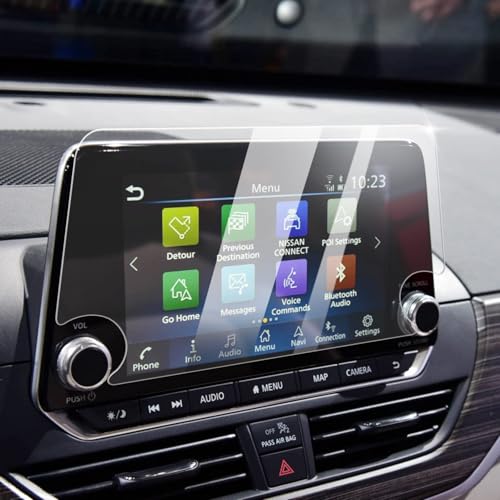
- Compatible Vehicles of Screen Protector: It is compatible with Nissan Altima 2.5 Platinum/SL/SV 2019-2022, 2.5 SR 2019-2025. For Rogue S/SV 2021-2025 2026 and Rogue Rock Creek 2026. Also For Sentra SR/SV 2020-2025 2026, which comes with 8-inch touchscreen (Not For Rogue Sport and Rogue Platinum/SL).
- Advanced Screen Protector Nissan Sentra: Advanced anti-explosion effect, strengths the hardness to 9H, enables to mitigate the wallop and prevent from scratching. It does not cause fragmentation and damage to the human body and the screen even if it ruptures, and still remain the whole one piece.
- Upgraded Nissan Sentra Screen Protector : The effect of anti-fingerprint has significant enhanced by contrast the traditional screen protector. No longer fingerprint leaves on the screen protector.
- Easy Installation: Aligning the four corners and install it, then Nissan Altima screen protector can be effectively installed to the screen, without any air bubbles leaving.
- Great Structure: The Nissan Rogue screen protector could always keep wet and have a smooth touch feel, in addition, it can reduce the glare due to there is a layer of scrub coating.
This product presentation was made with AAWP plugin.