
| Classification:
ST22-001 | Reference:
NTB22-079A | Date:
November 30, 2022 |
VOLUNTARY SAFETY RECALL CAMPAIGN 2021 KICKS AND 2021 VERSA; STEERING COLUMN
| CAMPAIGN ID #: | PMA10 |
| APPLIED VEHICLES: | 2021 Kicks (P15) 2021 Versa (N18) |
INTRODUCTION
Nissan is conducting this voluntary safety recall campaign, on certain specific model year 2021 Kicks and 2021 Versa vehicles, to inspect and, if necessary, replace the steering column. This service will be performed at no charge to the customer for parts or labor.
IDENTIFICATION NUMBER
Nissan has assigned identification number PMA10 to this campaign. This number must appear on all communication and documentation of any nature dealing with this campaign.
REQUIRED TOOLS
- A white crayon will be required to perform this action (Figure 1).
- Crayons are widely available and can be obtained from local or online retailers.
SERVICE PROCEDURE
To avoid the risk of serious personal injury or death, be sure to observe the following:
- Before servicing the SRS, turn the ignition OFF, disconnect both battery terminals then wait at least 3 minutes.
- Always work from the side of the driver (LH) side knee air bag module. Do not work in front of it.
- Do not use air tools or electric tools for servicing the LH side knee air bag module.
- Always place the LH side knee air bag module with the pad side facing upward.
- Do not cause impact to the LH side knee air bag module by dropping, etc.
- Replace the LH side knee air bag module if it has been dropped or sustained an impact.
- Do not allow oil, grease, detergent, or water to come in contact with the LH side knee air bag module.
- Do not insert any foreign objects (screwdriver, etc.) into the LH side knee air bag module.
- Do not disassemble the LH side knee air bag module.
- Do not expose the LH side knee air bag module to temperatures exceeding 93°C (199°F).
EPS Control Unit Data Saving
To avoid damage to the EPS control unit during replacement, the EPS control unit vehicle specifications must be saved from the original EPS control unit and written to the replacement EPS control unit using Consult.
- Turn the ignition ON with the engine OFF.
- Turn the hazard warning lights ON.
- Connect the VI to the vehicle.
- Start C-III plus.
- Wait for the VI to be recognized.
- Select Re/programming, Configuration.
- Enter Username and Password.
- Check the box to confirm the precaution instructions have been read, and then select Next.
HINT: Use the arrows (if needed) to view and read all precautions.
- Select Automatic Selection(VIN).
- Confirm the VIN is correct for the vehicle, and then select Confirm.
- Select EPS/DAST 3.
- On the Save ECU Data screen, write the EPS Part Number on the repair order, and then select Save.
- Select Next.
Vehicle Disassembly
- Write down the radio settings.
- If equipped, write down the customer settings for the ATC (Automatic Temperature Control) system.
- Turn the ignition OFF.
- Wait at least 3 minutes.
- Remove the driver (LH) side knee air bag module.
- For Kicks, refer to the ESM: RESTRAINTS > SRS AIRBAG > REMOVAL AND INSTALLATION > LEFT KNEE AIR BAG MODULE > Removal and Installation
- For Versa, refer to the ESM: RESTRAINTS > SRS AIRBAG > REMOVAL AND INSTALLATION > KNEE AIR BAG MODULE LH > Removal and Installation
- To avoid serious personal injury and/or death in the event of unintended deployment, always place the LH side knee air bag module with the pad side facing upward.
- To prevent damage to the LH side knee air bag module, place it in a safe place.
- To avoid personal injury, do not reuse the LH side knee air bag module bolts.
Steering Column Inspection
- Locate the steering column torque sensor (Figure 11).
- The torque sensor lot code is located on the back side of the torque sensor and is visible by looking upward at the torque sensor.
IMPORTANT: DO NOT remove or disconnect the steering column torque sensor.
- Highlight the lot code of the steering column torque sensor.
- Using a white crayon, with light pressure, rub the crayon over the lot code until the lot code is legible.
- Do NOT apply force to the torque sensor and torque sensor harness and connector when applying the crayon markings.
- Document the lower line of the lot code on the repair order.
HINT: Taking a photo of the lot code with a cell phone can assist with reading the lot code.
- After documenting the lot code, using a dry shop rag, wipe the crayon markings off of the steering column torque sensor with light pressure.
-
- Do NOT apply force to the Figure 13 torque sensor and torque sensor harness and connector when wiping off the crayon markings.
- Review the first five (5) characters of the lot code obtained in step 22 and compare to the LOT CODES listed in Table A.
Table A
| MODEL | MODEL YEAR | LOT CODES |
| Kicks, Versa | 2021 | 21624, 21625, 21626, 21627, 21628 |
- If the first five (5) characters of the lot code matches one of the sets of numbers in Table A, replace the steering column assembly.
- Refer to the ESM: STEERING > STEERING SYSTEM > REMOVAL AND INSTALLATION > STEERING COLUMN > Removal and Installation
-
- Continue to step 24 on page 12.
- If the first five (5) characters of the lot code does NOT match one of the sets of numbers in Table A, steering column replacement is not necessary. Continue to step 24 on page 12.
Vehicle Reassembly
- Reassemble the vehicle in the reverse order.
- Replace the LH side knee air bag module bolts with the ones listed in PARTS INFORMATION on the last page.
-
- LH side knee air bag module bolt torque: 10.8 N•m (1.1 kg-m, 8 ft-lb)
- Battery terminal bolt torque: 5.5 N•m (0.6 kg-m, 49 in-lb)
- Perform ADDITIONAL SERVICE WHEN REMOVING BATTERY NEGATIVE TERMINAL.
- Refer to the ESM: ELECTRICAL & POWER CONTROL > POWER SUPPLY, GROUND & CIRCUIT ELEMENTS > BASIC INSPECTION > INSPECTION AND ADJUSTMENT > ADDITIONAL SERVICE WHEN REMOVING BATTERY NEGATIVE TERMINAL
- If the steering column was replaced, continue to step 27.
- If the steering column was not replaced, skip to CLAIMS INFORMATION on the last page.
EPS Control Unit Data Writing
- Turn the ignition ON with the engine OFF.
- Connect the VI to the vehicle, if not currently connected.
- Start C-III plus.
- Wait for the VI to be recognized.
- Select Re/programming, Configuration.
- Check the box to confirm the precaution instructions have been read, and then select Next.
HINT: Use the arrows (if needed) to view and read all precautions.
- Select Automatic Selection(VIN).
- Confirm the selected information is correct for the vehicle, and then select Confirm.
- Verify the VIN, and then select Confirm.
- Wait for the Operation Log Selection screen to populate.
- Touch and select the data in Saved Data List (left side).
- If the Saved Data Detail is OK, select Confirm.
- Select Yes.
- Check the box to confirm the precaution instructions have been read, and then select Next.
HINT: Use the arrows (if needed) to view and read all precautions.
- Confirm the Select Program Data is correct, and then select Next.
- Follow the screen prompts to ensure the vehicle condition is OK, and then select Next.
- Confirm all Judgement items are GREEN, and then select Start to write the EPS control unit data.
- When the screen in Figure 27 displays, select Next (reprogramming is complete).
- If the screen in Figure 27 does not display (which indicates reprogramming did not complete), skip to Control Unit Recovery on page 25.
- Follow the on-screen prompts, and then select Next.
- Follow the on-screen prompts, and then select Next.
- Allow System call to complete, and then select Next.
- Follow the on-screen prompts to Erase All DTCs.
- After completing Erase All DTCs, print a copy of the CONSULT screen showing the before and after part numbers of the control unit and attach it to the repair order, and then select Confirm.
- Follow the on-screen prompts.
- Close the C-III plus application.
- Remove the VI from the vehicle.
Control Unit Recovery
Do not disconnect the VI or shut down C-III plus if reprogramming does not complete.
If reprogramming does not complete and the “!?” icon displays as shown in Figure 34:
- Check battery voltage (12.0–15.5 V).
- Ignition is ON, engine OFF.
- External Bluetooth® devices are OFF.
- All electrical loads are OFF.
- Select retry and follow the on screen instructions.
- “Retry” may not go through on first attempt and can be selected more than once.
If reprogramming does not complete and the “X” icon displays as shown in Figure 35:
- Check battery voltage (12.0–15.5 V).
- CONSULT A/C adapter is plugged in.
- Ignition is ON, engine OFF.
- Transmission is in Park.
- All C-III plus / VI cables are securely connected.
- All C-III plus updates are installed.
- Select Home, and restart the reprogram procedure from the beginning.
PARTS INFORMATION
| DESCRIPTION | PART NUMBER | QUANTITY |
| BOLT (Knee Air Bag Module) | 01125-N6061 | 2 |
| BOLT (Steering Wheel) | 48935-3BA0A | If Needed
(1) |
| COLUMN ASSY – STEERING, UPPER | 48810-5EE0A | If Needed
(1) |
(1) Only to be used if the steering column requires replacement.
PMA10 – Steering Column – 2021 Nissan Versa & Kicks
Steering Column – 2021 Nissan Versa & Kicks
Remedy Instructions and TSB
RCRIT-22V693-5123.pdf 1132.706KB
Remedy Instructions and TSB
RCRIT-22V693-2468.pdf 1029.469KB
Latest Recalls Documents

- [Easy to Use—Work Out of the Box] + [FOXWELL 2026 New Version] FOXWELL NT604 Elite scan tool is the 2026 new version from FOXWELL, designed for car owners who want to figure out the cause of issues before fixing car problems by scanning common systems like ABS, SRS, engine, and transmission. The NT604 Elite obd2 scanner diagnostic tool comes with the latest software—no need to waste time downloading software first. Plug the scanner into the OBDII port with OBDII cable to start the diagnosis.
- [Affordable] + [Reliable Car Health Monitor] Will you be confused what happens when the warning light of ABS/SRS/transmission/check engine flashes? Instead of taking your cars to dealership, this FOXWELL scanner will help you do a thorough scanning and detection for your cars and pinpoint the root cause. Note:The device is a diagnostic tool, not a repair tool. To turn off a warning light, you must first physically repair the issue causing it. Only then can the scanner be used to clear the corresponding fault code.
- [5 in 1 Car Diagnostic Scanner] Compared with obd scanners (50-100), NT604 Elite code scanner not only includes their OBDII diagnosis but also serves as ABS/SRS scanner, transmission and check engine code reader. When it’s an odb2 scanner, you can use it to check if your car is ready for annual test through I/M readiness menu. In addition, live data stream, built-in DTC library, data play back and print, all these features are a big plus for it. Note: doesn't support maintenance functions like reset or relearn. For the SRS system, NT604 Elite can read and clear common fault codes not caused by a crash, but crash/collision data cannot be cleared.
- [Fantastic AUTOVIN] + [No extra software fee] Through the AUTOVIN menu, this NT604 Elite car scanner allows you to get your V-IN and vehicle info rapidly, no need to take time to find your V-IN and input one by one. What's more, the NT604 Elite ABS SRS scanner supports 60+ car brands from worldwide (America/Asia/Europe). You don’t need to pay extra software fee. AUTOVIN may not work on some older vehicles or certain vehicle brands. If AUTOVIN fails, please input the vin code manually or go to the Diagnostic Menu to select your vehicle model.
- [Solid protective case KO plastic carrying bag] + [Lifetime update] Almost all same price-level car scanner diagnostic tool only offers plastic bag to hold the scanner.However, NT604 Elite automotive scanner is equipped with solid protective case, preventing your obd2 scanner from damage. Then you don’t need to pay extra money to buy a solid toolbox.
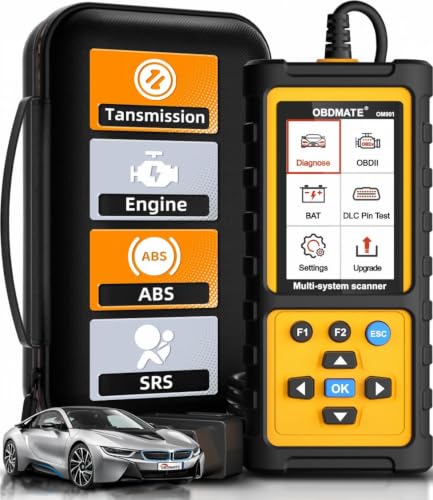
- 【Reset ABS/SRS/Transmission/Engine Lights】 More than an check engine code reader, OBDMATE OM901 obd2 scanner performs comprehensive diagnostics for the 4 most-used systems (ABS/SRS/Engine/Transmission). It quickly clears fault codes, turns off warning lights, read data stream and auto VIN.
- 【3.5" Handheld Scanner with 4 System Diagnose】 3.5" Super large TFT screen equipped displays an intuitive menu and clear readings of various sensors from ABS, SRS, ECM and TCM systems. It arrived with a silicone protective case and hard-shell carrying case, ensuring long-lived durability and drop resistance. The car diagnostic tool is plug-to-play designed, plug it and get diagnosis started without any batteries or updates required.
- 【One-Click I/M Readines&Full OBD2 Functions】 Press F1 to get an intuitive corloured form about whether various emissions-related systems on the vehicle are operating properly. Help you get smog-check ready quickly. OM901 car scanner supports all essential OBD2 functions you need: read & clear codes, view freeze frame, read I/M readiness, retrieve VIN, live data stream (with graphing display), O2 sensor test, onboard monitoring mode, and EVAP leak test.
- 【Battery Voltage Check&DLC Pin Test】 It allows you to monitor battery health by testing current battery voltage. Plus, this obd2 diagnostic tool features DLC 16-PIN test to check current voltage of every pin.
- 【Automotive Scanner Diagnostic Kit】 The package comes with 1 car scanner, 1 USB-type c cable, 1 hard storage bag and 1 user manual(en). Free to update without any hidden fees. 5 languanges available in setting including English, French, Italian, German and Espanish. Valuable and Portable, making it a great tool kit for car owners, DIY enthusiasts, and professional mechanics.
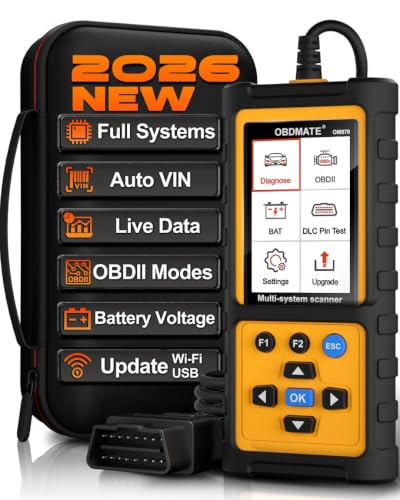
- 【Full Systems Automotive Diagnostic】 More than checking engine, ABS and SRS, OBDMATE OM970 obd2 scanner performs comprehensive diagnostics on all electric modules. It quickly scans and clears fault codes, turns off warning lights, reads live data, and features Auto-VIN technology.
- 【Live Datastream&4-in-1 Graph】 Easily view live sensor data such as RPM, fuel trims, ATF temperature, wheel speed sensor, battery voltage and so on. OM970 scan tool also supports 4-in-1 trend graphing. Spend just 3 minutes to check – and you'll know exactly what's going wrong, helping you avoid hundreds in dealership diagnostic fees.
- 【One-Click I/M Readiness&Full OBD2 Functions】 Press F1 to get an intuitive corloured form about whether your vehicle's emissions-related systems are operating properly. Help you get smog-check ready quickly. OM970 obd2 diagnostic tool supports all essential OBD2 functions you need. Plus, it features battery voltage test and DLC 16-PIN test.
- 【Straightforward Menus with Easy Navigation】 All functions are easy to understand without obscure decriptions. 3.5" Large screen delivers clear readings while keeping one-hand operation. The car diagnostic tool comes with a silicone protective case and a hard-shell carrying case, ensuring long-lived durability and drop resistance.
- 【Budget-Friendly, No Subscriptions, Free Software Updates】 Plug and play: no bluetooth pairing, monthly fees, Wi-Fi connection, or any other troublesome initial settings. OM970 obd2 scanner works out of the box with the latest software. Lifetime free upgrade.

- OBD2 SCANNER FOR ALL SYSTEMS – The INNOVA SD35 is a tablet-based OBD2 scanner designed for advanced diagnostics. Read and clear check engine light, ABS, SRS, and TPMS codes, plus test your car battery and alternator to prevent unexpected failures. Vehicle coverage may vary. Please use Innova’s Coverage Checker to verify compatibility.
- ALL-SYSTEM DIAGNOSTICS & LIVE DATA – Unlike basic code readers, this OBD2 scanner for all vehicles scans engine, transmission, ABS, SRS, and more. Get real-time live data, including RPM, fuel trims, temperature readings, and oxygen sensor performance.
- OBD2 TABLET WITH USER-FRIENDLY INTERFACE – This automotive scan tool features a high-resolution display, making vehicle diagnostics faster and easier.
- ADVANCED TPMS, OIL RESET & SERVICE FUNCTIONS – Perform TPMS sensor checks, oil light reset, and other service resets with ease This professional diagnostic tool provides comprehensive vehicle maintenance capabilities in one device.
- WIDE VEHICLE COVERAGE (1996 & NEWER CARS & TRUCKS) – This OBD2 scanner Bluetooth tablet is compatible with Toyota, Ford, Honda, Chevrolet, Nissan, Dodge, and more. However, feature coverage may vary. Please use Innova's Coverage Checker to verify coverage.
- [All System Diagnostics, Professional-Level Scanner] - BLCKTEC 460T is the ultimate OBD2 diagnostic tool for home mechanics and professionals. It supports all 10 OBD2 modes, reads and clears Engine/Transmission/ABS/SRS codes, performs All-System Diagnostics, offers workshop reset tools, and provides real-time live data. It helps you pinpoint issues, assess your car's condition, and prepare for SMOG checks with ease. NOTE: Function availability depends on your vehicle. Before you buy, be sure to use the Compatibility Checker on BLCKTEC website or contact our customer support to verify that the features you need are supported for your vehicle’s specific year, make, and model.
- [12+ Most Popular Reset Functions] - BLCKTEC 460T OBD2 scanner offers 12+ dealer-level service functions, including Oil Maintenance Reset, ABS Bleeding, EPB Reset, SAS(Steering Angle Sensor) Recalibration, DPF(Diesel Particulate Filter) Reset, Throttle Body Relearn, Battery Reset/Initialization, TPMS Relearn, Transmission Reset, Fluid Change Reset, Maintenance Reset and more, enabling you to perform workshop services like a pro. NOTE: Function availability depends on your vehicle. Be sure to use the Compatibility Checker on BLCKTEC website to verify that the features you need are supported for your vehicle.
- [Real-Time OBD2 and OEM Live Data, Freeze Frame Data] - BLCKTEC 460T helps diagnose vehicle issues when warning lights like Check Engine Light or ABS/SRS Light appear. It offers detailed DTC info, ECU Freeze Frame Data, and real-time OBD2 and advanced OEM live data, including Engine, Transmission, ABS, SRS, and more, making it easy to diagnose and resolve vehicle problems. You can view, graph, record, replay, and overlay up to four live data streams in a single graph for better analysis.
- [AutoVIN, AutoReLink, AutoScan, 3X Faster] - Equipped with AutoVIN technology, 460T automatically retrieves the VIN to save you time. Its AutoScan and AutoReLink features scan all of the vehicle's ECUs and detect any fault codes immediately after you plug the scanner into the vehicle's OBD2 port - no button presses required. Additionally, it regathers DTC and I/M readiness information every 30 seconds, simplifying monitor tests. 460T's advanced technology makes it 3X faster than other products.
- [Get RepairSolutions2, the #1 Auto Repair App for Free] - When paired with RepairSolutions2(RS2) App, 460T becomes even more powerful. RS2's Verified Fix Database built by master technicians, provides the parts needed for the repair. Additionally, RS2 gives you access to OEM warranty info, maintenance schedules, TSB, and dealership recall info, making car care easier than ever. RS2 is free with no subscription fees and it stores your car scan reports in the cloud, allowing you to access, share, or print them anytime and anywhere.
SEOCONTENT-START
Classification: Reference: Date: ST22-001 NTB22-079 September 15, 2022 Bulletins are intended for use by qualified technicians, not ‘do-it-yourselfers’. Qualified technicians are properly trained individuals who have the equipment, tools, safety instruction, and know-how to do a job properly and safely. NOTE: If you believe that a described condition may apply to a particular vehicle, DO NOT assume that it does. See your Nissan dealer to determine if this applies to your vehicle. 1/7 VOLUNTARY SAFETY RECALL CAMPAIGN 2021 KICKS AND 2021 VERSA; STEERING COLUMN CAMPAIGN ID #: PMA10 APPLIED VEHICLES: 2021 Kicks (P15) 2021 Versa (N18) Check Service COMM or Dealer Business Systems (DBS) National Service History to confirm campaign eligibility. INTRODUCTION Nissan is conducting this voluntary safety recall campaign, on certain specific model year 2021 Kicks and 2021 Versa vehicles, to inspect and, if necessary, replace the steering column. This service will be performed at no charge to the customer for parts or labor. IDENTIFICATION NUMBER Nissan has assigned identification number PMA10 to this campaign. This number must appear on all communication and documentation of any nature dealing with this campaign. DEALER RESPONSIBILITY It is the dealer’s responsibility to check Service COMM or Dealer Business Systems (DBS) National Service History for the campaign status on each vehicle falling within the range of this voluntary safety recall which for any reason enters the service department. This includes vehicles purchased from private parties or presented by transient (tourist) owners and vehicles in a dealer’s inventory. Federal law requires that new vehicles in dealer inventory which are the subject of a safety recall must be corrected prior to sale. Failure to do so can result in civil penalties by the National Highway Traffic Safety Administration. While federal law applies only to new vehicles, Nissan strongly encourages dealers to correct any used vehicles in their inventory before they are retailed. 2/7 NTB22-079 REQUIRED TOOLS A white crayon will be required to perform this action (Figure 1). Crayons are widely available and can be obtained from local or online retailers. Figure 1 3/7 NTB22-079 SERVICE PROCEDURE To avoid the risk of serious personal injury or death, be sure to observe the following: Before servicing the SRS, turn the ignition OFF, disconnect both battery terminals then wait at least three minutes. Always work from the side of the driver (LH) side knee air bag module. Do not work in front of it. Do not use air tools or electric tools for servicing the LH side knee air bag module. Always place the LH side knee air bag module with the pad side facing upward. Do not cause impact to the LH side knee air bag module by dropping, etc. Replace the LH side knee air bag module if it has been dropped or sustained an impact. Do not allow oil, grease, detergent, or water to come in contact with the LH side knee air bag module. Do not insert any foreign objects (screwdriver, etc.) into the LH side knee air bag module. Do not disassemble the LH side knee air bag module. Do not expose the LH side knee air bag module to temperatures exceeding 93°C (199°F). 4/7 NTB22-079 1. Write down the radio settings. Presets 1 2 3 4 5 6 AM FM 1 FM 2 XM 1 XM 2 XM 3 Bass Treble Balance Fade Speed Sen. Vol. 2. If equipped, write down the customer settings for the ATC (Automatic Temperature Control) system. 3. Turn the ignition OFF. 4. Disconnect the negative and positive battery terminals, negative battery terminal first. Wait at least 3 minutes. 5. Remove the driver (LH) side knee air bag module. For Kicks, refer to the ESM: RESTRAINTS > SRS AIRBAG > REMOVAL AND INSTALLATION > LEFT KNEE AIR BAG MODULE > Removal and Installation For Versa, refer to the ESM: RESTRAINTS > SRS AIRBAG > REMOVAL AND INSTALLATION > KNEE AIR BAG MODULE LH > Removal and Installation o To avoid serious personal injury and/or death in the event of unintended deployment, always place the LH side knee air bag module with the pad side facing upward. o To prevent damage to the LH side knee air bag module, place it in a safe place. o To avoid personal injury, do not reuse the LH side knee air bag module bolts. 5/7 NTB22-079 6. Locate the steering column torque sensor (Figure 2). The torque sensor lot code is located on the back side of the torque sensor and is visible by looking upward at the torque sensor. IMPORTANT: DO NOT remove or disconnect the steering column torque sensor. Figure 2 Figure 3 7. Highlight the lot code of the steering column torque sensor. Using a white crayon, with light pressure, rub the crayon over the lot code until the lot code is legible. Steering column torque sensor View lot code on back of torque sensor White crayon Steering column torque sensor 6/7 NTB22-079 Figure 4 9. Review the first five (5) characters of the lot code obtained in step 8 and compare to the LOT CODES listed in Table A. Table A MODEL MODEL YEAR LOT CODES Kicks, Versa 2021 21624, 21625, 21626, 21627, 21628 If the first five (5) characters of the lot code matches one of the sets of numbers in Table A, replace the steering column assembly, and then proceed to step 10. o Refer to the ESM: STEERING > STEERING SYSTEM > REMOVAL AND INSTALLATION > STEERING COLUMN > Removal and Installation If the first five (5) characters of the lot code does NOT match one of the sets of numbers in Table A, steering column replacement is not necessary. Continue to step 10. 10. Reassemble the vehicle in the reverse order. Replace the LH side knee air bag module bolts with the ones listed in PARTS INFORMATION on the last page. o LH side knee air bag module bolt torque: 10.8 N•m (1.1 kg-m, 8 ft-lb) 11. Connect both battery terminals, negative battery terminal last. Battery terminal bolt torque: 5.5 N•m (0.6 kg-m, 49 in-lb) 8. Document the lower line of the lot code on the repair order. HINT: Taking a photo of the lot code with a cell phone can assist with reading the lot code. After documenting the lot code, using a dry shop rag, wipe the crayon markings off of the steering column torque sensor. Lower line of lot code 7/7 NTB22-079 12. Perform ADDITIONAL SERVICE WHEN REMOVING BATTERY NEGATIVE TERMINAL. Refer to the ESM: ELECTRICAL & POWER CONTROL > POWER SUPPLY, GROUND & CIRCUIT ELEMENTS > BASIC INSPECTION > INSPECTION AND ADJUSTMENT > ADDITIONAL SERVICE WHEN REMOVING BATTERY NEGATIVE TERMINAL PARTS INFORMATION DESCRIPTION PART NUMBER QUANTITY BOLT (Knee Air Bag Module) 01125-N6061 2 BOLT (Steering Wheel) 48935-3BA0A If Needed (1) COLUMN ASSY – STEERING, UPPER 48810-5EE0A If Needed (1) (1) Only to be used if the steering column requires replacement. CLAIMS INFORMATION Submit a “CM” line claim using the following claims coding: CAMPAIGN (“CM”) ID DESCRIPTION OP CODE FRT PMA10 Inspect Torque Sensor only PMA100 0.6 Inspect Torque Sensor and Replace Steering Column PMA101 1.4 EXPENSE CODE EXPENSE CODE DESCRIPTION MAX AMOUNT 061 Crayons $2.00 AMENDMENT HISTORY PUBLISHED DATE REFERENCE DESCRIPTION September 15, 2022 NTB22-079 Original bulletin published
**************************************************************************************************************
Classification: Reference: Date: ST22-001A NTB22-079A November 30, 2022 Bulletins are intended for use by qualified technicians, not ‘do-it-yourselfers’. Qualified technicians are properly trained individuals who have the equipment, tools, safety instruction, and know-how to do a job properly and safely. NOTE: If you believe that a described condition may apply to a particular vehicle, DO NOT assume that it does. See your Nissan dealer to determine if this applies to your vehicle. 1/26 VOLUNTARY SAFETY RECALL CAMPAIGN 2021 KICKS AND 2021 VERSA; STEERING COLUMN CAMPAIGN ID #: PMA10 APPLIED VEHICLES: 2021 Kicks (P15) 2021 Versa (N18) Check Service COMM or Dealer Business Systems (DBS) National Service History to confirm campaign eligibility. INTRODUCTION Nissan is conducting this voluntary safety recall campaign, on certain specific model year 2021 Kicks and 2021 Versa vehicles, to inspect and, if necessary, replace the steering column. This service will be performed at no charge to the customer for parts or labor. IDENTIFICATION NUMBER Nissan has assigned identification number PMA10 to this campaign. This number must appear on all communication and documentation of any nature dealing with this campaign. DEALER RESPONSIBILITY It is the dealer’s responsibility to check Service COMM or Dealer Business Systems (DBS) National Service History for the campaign status on each vehicle falling within the range of this voluntary safety recall which for any reason enters the service department. This includes vehicles purchased from private parties or presented by transient (tourist) owners and vehicles in a dealer’s inventory. Federal law requires that new vehicles in dealer inventory which are the subject of a safety recall must be corrected prior to sale. Failure to do so can result in civil penalties by the National Highway Traffic Safety Administration. While federal law applies only to new vehicles, Nissan strongly encourages dealers to correct any used vehicles in their inventory before they are retailed. This bulletin has been amended. See AMENDMENT HISTORY on the last page. Please discard previous versions of this bulletin. 2/26 NTB22-079A REQUIRED TOOLS A white crayon will be required to perform this action (Figure 1). Crayons are widely available and can be obtained from local or online retailers. Figure 1 3/26 NTB22-079A SERVICE PROCEDURE To avoid the risk of serious personal injury or death, be sure to observe the following: Before servicing the SRS, turn the ignition OFF, disconnect both battery terminals then wait at least 3 minutes. Always work from the side of the driver (LH) side knee air bag module. Do not work in front of it. Do not use air tools or electric tools for servicing the LH side knee air bag module. Always place the LH side knee air bag module with the pad side facing upward. Do not cause impact to the LH side knee air bag module by dropping, etc. Replace the LH side knee air bag module if it has been dropped or sustained an impact. Do not allow oil, grease, detergent, or water to come in contact with the LH side knee air bag module. Do not insert any foreign objects (screwdriver, etc.) into the LH side knee air bag module. Do not disassemble the LH side knee air bag module. Do not expose the LH side knee air bag module to temperatures exceeding 93°C (199°F). 4/26 NTB22-079A EPS Control Unit Data Saving To avoid damage to the EPS control unit during replacement, the EPS control unit vehicle specifications must be saved from the original EPS control unit and written to the replacement EPS control unit using Consult. 1. Turn the ignition ON with the engine OFF. 2. Turn the hazard warning lights ON. 3. Connect the VI to the vehicle. 4. Start C-III plus. 5. Wait for the VI to be recognized. 6. Select Re/programming, Configuration. Figure 2 5/26 NTB22-079A 7. Enter Username and Password. Figure 3 8. Check the box to confirm the precaution instructions have been read, and then select Next. HINT: Use the arrows (if needed) to view and read all precautions. Figure 4 6/26 NTB22-079A 9. Select Automatic Selection(VIN). Figure 5 10. Confirm the VIN is correct for the vehicle, and then select Confirm. Figure 6 XXXXXXXXXXXXXXXXX 7/26 NTB22-079A 11. Select EPS/DAST 3. Figure 7 12. Select Before ECU Replacement. Figure 8 8/26 NTB22-079A 13. On the Save ECU Data screen, write the EPS Part Number on the repair order, and then select Save. Figure 9 14. Select Next. Figure 10 XXXXXXXXXXXX XXXXXXXXXXXX 28504-XXXXX XXXXXXXXXXXX XXXXXXXXXXXX XXXXXXXXXXXX XXXXXXXXXXXX XXXXXXXXXXXX XXXXXXXXXXXX 28504-XXXXX 9/26 NTB22-079A Vehicle Disassembly 15. Write down the radio settings. Presets 1 2 3 4 5 6 AM FM 1 FM 2 XM 1 XM 2 XM 3 Bass Treble Balance Fade Speed Sen. Vol. 16. If equipped, write down the customer settings for the ATC (Automatic Temperature Control) system. 17. Turn the ignition OFF. 18. Disconnect the negative and positive battery terminals, negative battery terminal first. Wait at least 3 minutes. 19. Remove the driver (LH) side knee air bag module. For Kicks, refer to the ESM: RESTRAINTS > SRS AIRBAG > REMOVAL AND INSTALLATION > LEFT KNEE AIR BAG MODULE > Removal and Installation For Versa, refer to the ESM: RESTRAINTS > SRS AIRBAG > REMOVAL AND INSTALLATION > KNEE AIR BAG MODULE LH > Removal and Installation o To avoid serious personal injury and/or death in the event of unintended deployment, always place the LH side knee air bag module with the pad side facing upward. o To prevent damage to the LH side knee air bag module, place it in a safe place. o To avoid personal injury, do not reuse the LH side knee air bag module bolts. 10/26 NTB22-079A Steering Column Inspection 20. Locate the steering column torque sensor (Figure 11). The torque sensor lot code is located on the back side of the torque sensor and is visible by looking upward at the torque sensor. IMPORTANT: DO NOT remove or disconnect the steering column torque sensor. Figure 11 Figure 12 21. Highlight the lot code of the steering column torque sensor. Using a white crayon, with light pressure, rub the crayon over the lot code until the lot code is legible. Do NOT apply force to the torque sensor and torque sensor harness and connector when applying the crayon markings. Steering column torque sensor View lot code on back of torque sensor White crayon Steering column torque sensor 11/26 NTB22-079A Figure 13 23. Review the first five (5) characters of the lot code obtained in step 22 and compare to the LOT CODES listed in Table A. Table A MODEL MODEL YEAR LOT CODES Kicks, Versa 2021 21624, 21625, 21626, 21627, 21628 If the first five (5) characters of the lot code matches one of the sets of numbers in Table A, replace the steering column assembly. o Refer to the ESM: STEERING > STEERING SYSTEM > REMOVAL AND INSTALLATION > STEERING COLUMN > Removal and Installation Continue to step 24 on page 12. If the first five (5) characters of the lot code does NOT match one of the sets of numbers in Table A, steering column replacement is not necessary. Continue to step 24 on page 12. 22. Document the lower line of the lot code on the repair order. HINT: Taking a photo of the lot code with a cell phone can assist with reading the lot code. After documenting the lot code, using a dry shop rag, wipe the crayon markings off of the steering column torque sensor with light pressure. o Do NOT apply force to the torque sensor and torque sensor harness and connector when wiping off the crayon markings. Lower line of lot code 12/26 NTB22-079A Vehicle Reassembly 24. Reassemble the vehicle in the reverse order. Replace the LH side knee air bag module bolts with the ones listed in PARTS INFORMATION on the last page. o LH side knee air bag module bolt torque: 10.8 N•m (1.1 kg-m, 8 ft-lb) 25. Connect both battery terminals, negative battery terminal last. Battery terminal bolt torque: 5.5 N•m (0.6 kg-m, 49 in-lb) 26. Perform ADDITIONAL SERVICE WHEN REMOVING BATTERY NEGATIVE TERMINAL. Refer to the ESM: ELECTRICAL & POWER CONTROL > POWER SUPPLY, GROUND & CIRCUIT ELEMENTS > BASIC INSPECTION > INSPECTION AND ADJUSTMENT > ADDITIONAL SERVICE WHEN REMOVING BATTERY NEGATIVE TERMINAL o If the steering column was replaced, continue to step 27. o If the steering column was not replaced, skip to CLAIMS INFORMATION on the last page. 13/26 NTB22-079A EPS Control Unit Data Writing 27. Turn the ignition ON with the engine OFF. 28. Connect the VI to the vehicle, if not currently connected. 29. Start C-III plus. 30. Wait for the VI to be recognized. 31. Select Re/programming, Configuration. Figure 14 14/26 NTB22-079A 32. Check the box to confirm the precaution instructions have been read, and then select Next. HINT: Use the arrows (if needed) to view and read all precautions. Figure 15 33. Select Automatic Selection(VIN). Figure 16 15/26 NTB22-079A 34. Confirm the selected information is correct for the vehicle, and then select Confirm. Figure 17 35. Allow System call to complete. Figure 18 XXXXXXXXXXXX XXXXXXXXX XXXXXX 16/26 NTB22-079A 36. Verify the VIN, and then select Confirm. Figure 19 XXXXXXXXXXXXXXXXX 17/26 NTB22-079A 37. Wait for the Operation Log Selection screen to populate. Figure 20 38. Touch and select the data in Saved Data List (left side). 39. If the Saved Data Detail is OK, select Confirm. XXXXXXXXXXXX XXXXXXXXX 28504-XXXXX 18/26 NTB22-079A 40. Select Yes. Figure 21 41. Check the box to confirm the precaution instructions have been read, and then select Next. HINT: Use the arrows (if needed) to view and read all precautions. Figure 22 XXXXXXXXXXXX 19/26 NTB22-079A 42. Confirm the Select Program Data is correct, and then select Next. Figure 23 43. Follow the screen prompts to ensure the vehicle condition is OK, and then select Next. Figure 24 XXXXXXXXXXXX XXXXXXXXX 28504XXXXX 20/26 NTB22-079A 44. Confirm all Judgement items are GREEN, and then select Start to write the EPS control unit data. Figure 25 45. Allow Transfer Data to complete. Figure 26 21/26 NTB22-079A 46. When the screen in Figure 27 displays, select Next (reprogramming is complete). If the screen in Figure 27 does not display (which indicates reprogramming did not complete), skip to Control Unit Recovery on page 25. Figure 27 47. Follow the on-screen prompts, and then select Next. Figure 28 22/26 NTB22-079A 48. Follow the on-screen prompts, and then select Next. Figure 29 49. Allow System call to complete, and then select Next. Figure 30 23/26 NTB22-079A 50. Follow the on-screen prompts to Erase All DTCs. Figure 31 51. After completing Erase All DTCs, print a copy of the CONSULT screen showing the before and after part numbers of the control unit and attach it to the repair order, and then select Confirm. Figure 32 28504-XXXXX XXXXXXXXXXXXXXXXX XXXXX 28504-XXXXX 24/26 NTB22-079A 52. Follow the on-screen prompts. Figure 33 53. Close the C-III plus application. 54. Remove the VI from the vehicle. 25/26 NTB22-079A Control Unit Recovery Do not disconnect the VI or shut down C-III plus if reprogramming does not complete. If reprogramming does not complete and the “!?” icon displays as shown in Figure 34: Figure 34 If reprogramming does not complete and the “X” icon displays as shown in Figure 35: Figure 35 Check battery voltage (12.0–15.5 V). Ignition is ON, engine OFF. External Bluetooth® devices are OFF. All electrical loads are OFF. Select retry and follow the on screen instructions. “Retry” may not go through on first attempt and can be selected more than once. Check battery voltage (12.0–15.5 V). CONSULT A/C adapter is plugged in. Ignition is ON, engine OFF. Transmission is in Park. All C-III plus / VI cables are securely connected. All C-III plus updates are installed. Select Home, and restart the reprogram procedure from the beginning. xxxxxxxxxxxxxxxxx xxxxxx xxxxxx xxxxxxxxxxxxxxxxx xxxxxx xxxxxxxxxxxxxxxxx xxxxxx xxxxxxxxxxxxxxxxx 26/26 NTB22-079A PARTS INFORMATION DESCRIPTION PART NUMBER QUANTITY BOLT (Knee Air Bag Module) 01125-N6061 2 BOLT (Steering Wheel) 48935-3BA0A If Needed (1) COLUMN ASSY – STEERING, UPPER 48810-5EE0A If Needed (1) (1) Only to be used if the steering column requires replacement. CLAIMS INFORMATION Submit a “CM” line claim using the following claims coding: CAMPAIGN (“CM”) ID DESCRIPTION OP CODE FRT PMA10 Inspect Torque Sensor only PMA100 0.7 Inspect Torque Sensor and Replace Steering Column PMA101 1.8 EXPENSE CODE EXPENSE CODE DESCRIPTION MAX AMOUNT 061 Crayons $2.00 AMENDMENT HISTORY PUBLISHED DATE REFERENCE DESCRIPTION September 15, 2022 NTB22-079 Original bulletin published November 30, 2022 NTB22-079A Changes throughout
SEOCONTENT-END
This product presentation was made with AAWP plugin.