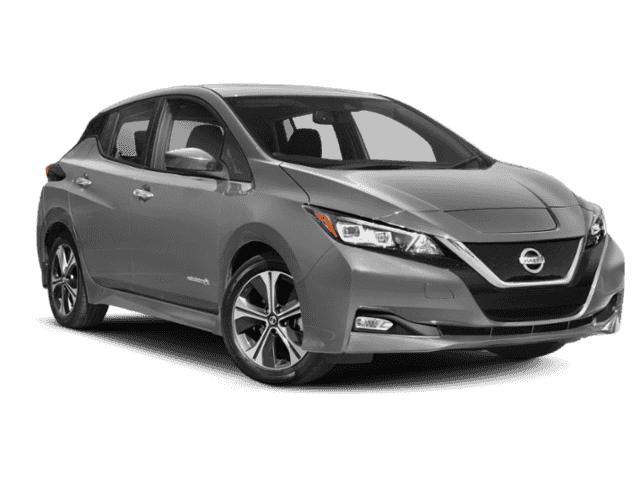
| Classification: | Reference: | Date: |
| AN20-023a | NTB20-051a | February 3, 2021 |
VOLUNTARY SAFETY RECALL CAMPAIGN 2020 LEAF; AV CONTROL UNIT
This bulletin has been amended. See AMENDMENT HISTORY on the last page. Discard all previous versions of this bulletin.
CAMPAIGN ID #: PC743
APPLIED VEHICLE: 2020 LEAF (ZE1)
Check Service COMM or Dealer Business Systems (DBS) National Service History to confirm campaign eligibility.
INTRODUCTION
Nissan is conducting this voluntary safety recall campaign on certain specific model year 2020 LEAF vehicles. The AV control unit will be reprogrammed. This service will be performed at no charge to the customer for parts or labor.
IDENTIFICATION NUMBER
Nissan has assigned identification number PC743 to this campaign. This number must appear on all communication and documentation of any nature dealing with this campaign.
DEALER RESPONSIBILITY
It is the dealer’s responsibility to check Service COMM or Dealer Business Systems (DBS) National Service History for the campaign status on each vehicle falling within the range of this voluntary safety recall which for any reason enters the service department. This includes vehicles purchased from private parties or presented by transient (tourist) owners and vehicles in a dealer’s inventory. Federal law requires that new vehicles in dealer inventory which are the subject of a safety recall must be corrected prior to sale. Failure to do so can result in civil penalties by the National Highway Traffic Safety Administration. While federal law applies only to new vehicles, Nissan strongly encourages dealers to correct any used vehicles in their inventory before they are retailed.
REQUIRED SPECIAL TOOL
- One of special tool USB drive J-52727 was previously sent to each dealer (see Figure 1).
- Do not use any other USB drive to perform this bulletin’s service procedure.
- Additional USB drives may be purchased from TechMate: nissantechmate.com or 1-800-662-2001.
HINT:
- The reprogram software only needs to be downloaded once and can then be used continuously on multiple APPLIED VEHICLES.
- The reprogram software must be the only file on the USB drive.
SERVICE PROCEDURE
Reprogram AV Control Unit
IMPORTANT: Before starting, make sure:
- ASIST is connected to the Internet.
- ASIST has been synchronized (updated) to the current date.
- If the infotainment reprogram software has already been downloaded onto special tool USB drive J-52727 from a prior service procedure, skip to step 10 on page 5.
HINT:
- Special tool USB drive J-52727 is the only one approved for use with this bulletin’s service procedure.
- The reprogram is estimated to take 4 hours to download to the USB drive.
- The reprogram software only needs to be downloaded once and can then be used continuously on multiple APPLIED VEHICLES.
-
- The reprogram software must be the only file on the USB drive.
- Open ASIST.
- Select Specialty Tools, and then select Infotainment Software Updates.
- Select the check box next to the PC743_LEAF infotainment software update (refer to Figure 3 below).
- Use the drop-down menu and select the location of the USB drive that was inserted in step 1.
- Select Download, and then wait for the download to complete.
HINT: The reprogram is estimated to take 4 hours to download to the USB drive.
- Select OK.
Use the following steps to safely remove the USB drive. If not followed, the USB drive may corrupt the infotainment reprogram software and the AV control unit would then have to be replaced.
a. From the PC toolbar, select the Safely Remove Hardware
-
- The icon is on the toolbar, or can be found after selecting the arrow.
b. Select the USB drive to be removed, and then remove the USB drive from the ASIST Station.
-
- If you are not familiar with the process of safe USB drive removal, ask for assistance at your dealer.
- Close all ASIST Infotainment Software Update
- Set the parking brake.
- Put the ignition in READY mode, and then wait 60 seconds for the system to load.
HINT: The ignition needs to be in READY mode for the duration of the reprogram to retain 12 V battery charge.
- Turn the audio system OFF.
- Insert the USB drive with infotainment update software into the vehicle’s USB media port (see Figure 6).
- Do not remove the USB drive during the reprogram until instructed to.
Do not insert the USB drive into a charging port. If used, the reprogram software and/or USB drive may become damaged. Only insert the USB drive in a USB media port.
HINT: Charging ports are marked in the vehicle with a “lightning bolt” symbol.
- Wait approximately 10-30 seconds for the screen in Figure 8 to appear.
- The screen in Figure 9 may briefly appear. The audio system will detect the USB drive and continue the software reprogram.
DO NOT remove the USB drive. If removed, the reprogram will be disrupted and the AV control unit may need to be replaced.
- Wait for the reprogram to complete.
- Follow the on-screen instructions while waiting.
HINT: The update lasts 15-25 minutes.
- Once the reprogram is “finished” or complete (Figure 11 appears), remove the USB drive. The system will then reboot (restart).
HINT: The system will not reboot until the USB drive is removed.
- Allow the reboot to complete (approximately 30 seconds).
- The Nissan logo will be displayed during the reboot.
- Turn the ignition OFF.
Erase DTCs
- Connect the CONSULT PC and the plus VI to the vehicle.
- Turn the ignition to READY mode.
- Open C-III plus, and then select Diagnosis (All Systems).
- Perform Automatic VIN selection.
- Confirm the VIN or Chassis #, Vehicle Name, and Model Year are correct, and then select Confirm.
- Select Erase.
- Select Execute.
- Select Close.
- Close C-III plus and the CONSULT PC.
- Turn the ignition OFF.
- Remove the plus VI from the vehicle.
CLAIMS INFORMATION
Submit a “CM” line claim using the following claims coding:
| CAMPAIGN (“CM”) ID | DESCRIPTION | OP CODE | FRT |
| PC743 | Reprogram AV Control Unit | PC7430 | 0.3 |
AMENDMENT HISTORY
| PUBLISHED DATE | REFERENCE | DESCRIPTION |
| July 16, 2020 | NTB20-051 | Original bulletin published |
| February 3, 2021 | NTB20-051a | Classification number update |
Remedy Instructions and TSB
RCRIT-20V412-4803.pdf 2862.007KB
Remedy Instructions and TSB
RCRIT-20V412-1563.pdf 2862.389KB

- USB-C 2-in-1 storage OTG: The Lexar JumpDrive Dual Drive D40E features USB Type-A and Type-C connectors in a slim, portable form factor for easy device compatibility
- Transfer speeds up to 100MB/s: Based on internal testing, performance may vary depending upon the host device, interface, and usage conditions. 1MB=1,000,000 bytes
- Plug and Play: Widely compatible with USB Type-C smartphones, tablets, laptops, Macs, and traditional Type-A devices, no software installation required. The 360° swivel design allows for easy switching between connectors without the hassle of losing a cap
- Durable & Compact: The Lexar D40E USB memory stick features a metal enclosure, withstands temperatures from 0° to 50° C (32°F to 122°F), and is lightweight at 26g with dimensions of 70.4 x 16.9 x 11.7mm
- Security & Warranty: Securely protects files using an advanced security software solution with 256-bit AES encryption. Backed by a Lexar 3-year limited warranty

- GOOD VALUE PACKAGE - 1 Pack 32GB Memory Stick USB 2.0 Flash Drives with great cost performance and high quality.
- BIG CAPACITY - The available capacity: 29.10GB-29.8GB, You can save the data of movies, music, photos, designs, programs, manuals, handouts in a high speed.Good performance in digital data storing, transferring and sharing with families, friends, workmates, clients and machines.
- EASY TO USE & PLUG AND WORK - Support windows 7 / 8 / 10 / Vista / XP / 2000 / ME / NT Linux and Mac OS, Compatible with USB2.0 and below.
- TWISTTURN DESIGN & EASY CARRY - The metal clip rotates 360° round the ABS plastic body which with rubber oil skin feeling finish. The capless design can avoid lossing of cap, and providing efficient protection to the USB port.
- WARRANTY & SUPPORT - SIMMAX logo is laser printed on the USB connector surface, our products are of good quality and we promise that any problem about the product within one year since you buy.

- The durable, light-weight design of the Turbo Attaché 3 USB 3.0 Flash Drive is the essential mobile storage solution
- Perfect for transferring large files such as movies, videos, photos, music & documents
- Transfer speeds up to 10 times faster than standard USB 2.0 flash drives
- Convenient sliding collar, and cap-less design protects your content when not in use
- Compatible with most PC and Mac laptop and desktop computers with USB 3.0 ports

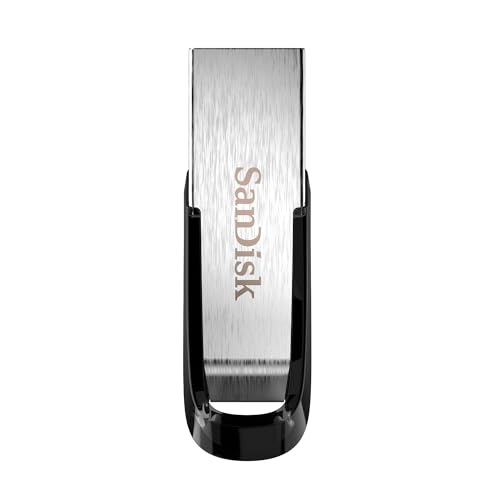
- High-speed USB 3.0 performance of up to 150MB/s(1) [(1) Write to drive up to 15x faster than standard USB 2.0 drives (4MB/s); varies by drive capacity. Up to 150MB/s read speed. USB 3.0 port required. Based on internal testing; performance may be lower depending on host device, usage conditions, and other factors; 1MB=1,000,000 bytes]
- Transfer a full-length movie in less than 30 seconds(2) [(2) Based on 1.2GB MPEG-4 video transfer with USB 3.0 host device. Results may vary based on host device, file attributes and other factors]
- Transfer to drive up to 15 times faster than standard USB 2.0 drives(1)
- Sleek, durable metal casing
- Easy-to-use password protection for your private files(3) [(3)Password protection uses 128-bit AES encryption and is supported by Windows 7, Windows 8, Windows 10, and Mac OS X v10.9 plus; Software download required for Mac, visit the SanDisk SecureAccess support page]
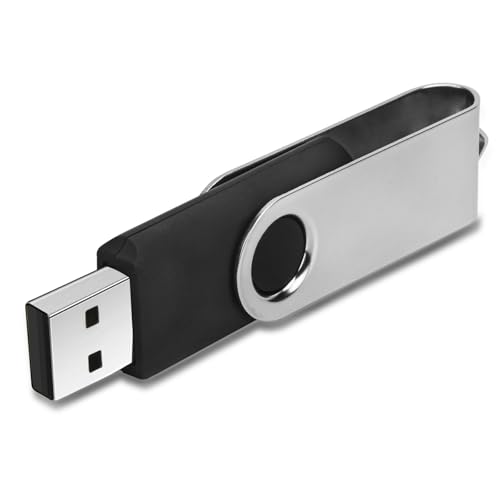
- 【16GB Flash Drive】USB flash drives with 16GB capacity, meet your needs of daily use on work, school, home and travelling for photos, music, videos, files storage and transfer. IMEASON thumb drives can be used to store different files, easy to data backup.
- 【Metal Swivel Cap Design】USB thumb drive is metal swivel cover provides extra protection for the usb thumbdrive connector, no usb drive cap to lose; keychain design makes it easier to carry without worrying lose it.
- 【Wide Compatibility】USB drive supports Windows 7/8/10/11 / Vista / XP / Unix / 2000 / ME / NT Linux and Mac OS, also Supports USB 2.0 and 1.1 ports. USB Stick support TV, desktop, notebook computer, car, audio and other device. The USB Memory Stick is your great data storage and transfer companion with traveling and working.
- 【Easy to use】usb memory stick is plug and play without any software installation. Just simply plug the Flashdrive into the port of your USB-compatible devices such as computer, laptop to start data storage or transmission.
- 【What You Get】16 GB USB Flash Drive Thumb Drive, The default format of the usb storage flash drive is FAT32.
This product presentation was made with AAWP plugin.